Metadoc
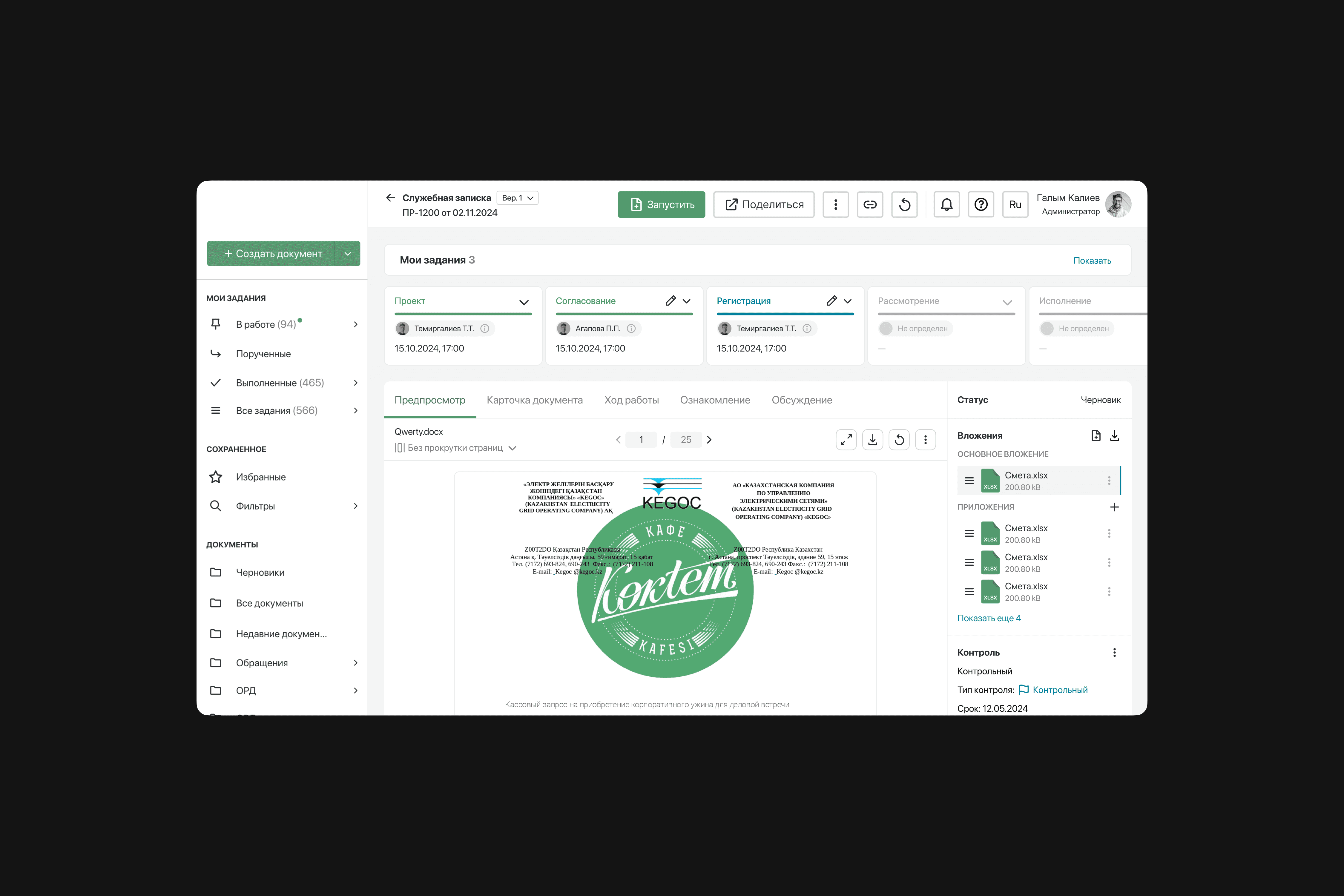
MetaDoc is a B2B product that was launched in 2020 and specializes in creating an effective electronic document management system for companies. At the moment, the product already has more than 20 satisfied customers and over 50,000 active users. MetaDoc allows companies to completely move from paperwork to an electronic format, providing the ability to customize each step according to the unique needs of the client.
Role
Senior Product Designer
Year
2020 — 2023

Kickoff
When I first started, I faced many challenges, including difficulties in design processes. The perception of design was reduced to simple drawing, rather than being perceived as a complex process with its own flow and unique requirements.
UX was completely lacking at that point, there was a lack of research, analytics and customer insight. There were also UI problems: the design was heterogeneous and did not match the Design System. In addition, there was no consistent design system, and there were no master components. And to all this was added another problem - developers did not perceive design as a separate, important part of the process.
Accordingly, there were regular moments with front end inconsistency with the design by about 45%. I managed to solve the pressing problems and increase the speed of task processing work by 60%, the quality of solution delivery to users by 84% and customer happiness by 32%.
The Problem
Lack of a separate, independent design process
Lack of UX part of the project
Inconsistency in the design system
Inconsistency between implementation and design
Solution
Defined and implemented a scalable UX process aligned with PM, Scrum Master, and analytics. Secured stakeholder buy-in by demonstrating clear business impact.
Conducted high-level research (surveys, interviews, NPS, personas) to identify core friction points and quantify opportunity.
Audited the front-end system including tokens, components, naming, and architecture to align design and engineering.
Established a formal Design Review process with clear quality criteria and ownership.Competitive analysis showed a clear pattern: strong onboarding acts as a continuation of the value narrative, not a technical gate.
How do you do the design process?
It's a question I've been asking myself for a couple or three days. But I had to start somewhere. Initially, I built the perfect design process for myself:
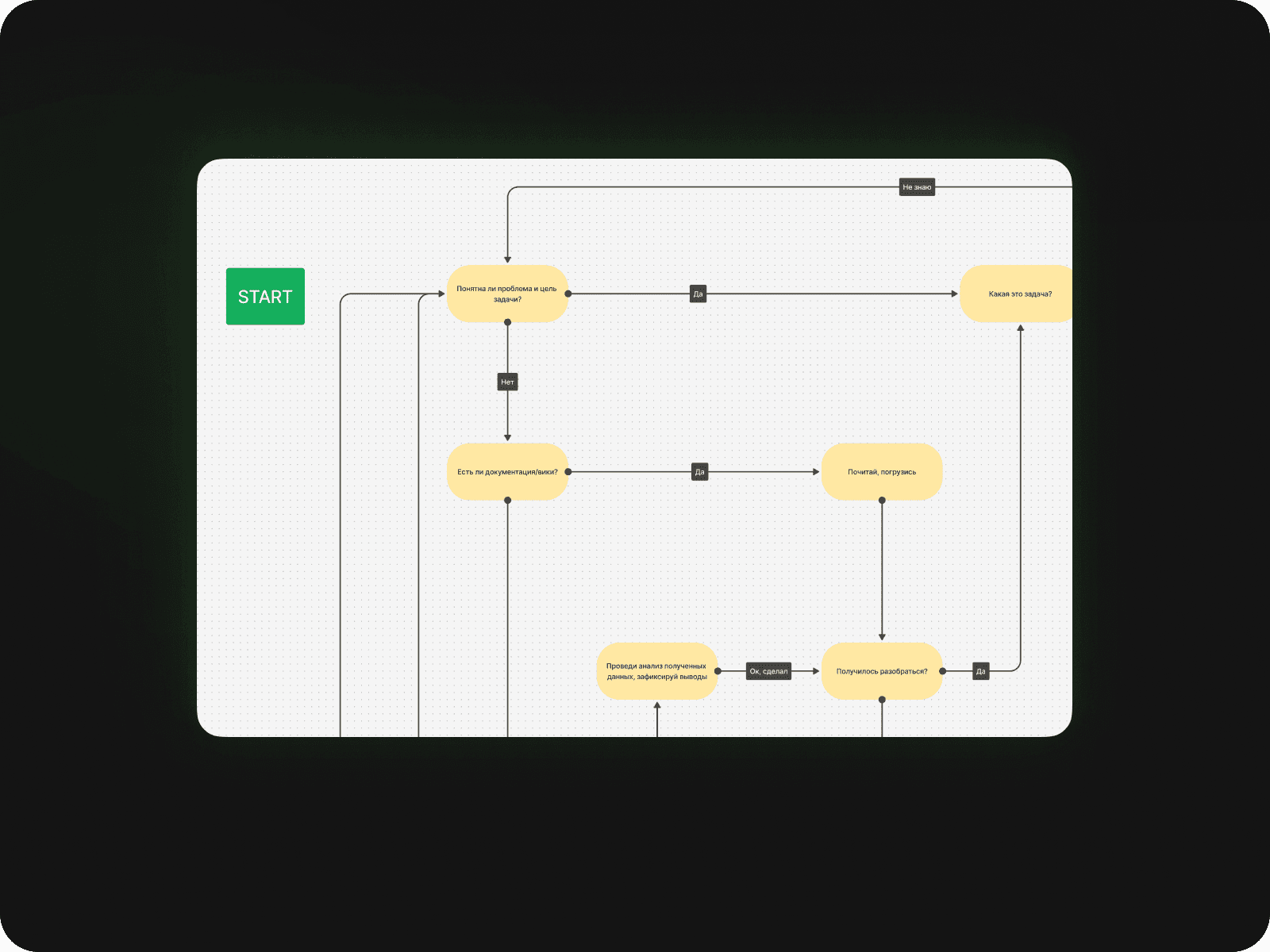
Problem definition — clarify the task through stakeholder alignment and structured questioning before moving forward.
Best practices — apply proven industry patterns instead of reinventing existing solutions.
User stories and flows — define key scenarios and design tailored user journeys.
Prototyping — create wireframes and variations to validate ideas quickly and cost-effectively.
Stakeholder alignment — review and agree on solutions prior to development.
UX testing — validate hypotheses with real users to reduce risk and prevent costly assumptions.
UI design — deliver a consistent, structured, system-driven visual layer.
Design review — verify implementation accuracy with frontend before release.
How do you build a UX stage?
To do this, we need to form a foundation of basic data and document it in the product Wiki so that the whole team can build on it in the future:
What kind of people use our system?
Do they like our product?
Where are they experiencing strong problems?
And in order to do this, several meetings were held in the company to explain the principles and the main essence of this important stage, so that all stakeholders were aware of it. First of all, it was necessary to understand - Who are our users?
First, I collected all the data about active users (50,000 people!). Name, Position, Age, Gender, Location. Purely dry data. Then I translated this information into percentages and identified the main focus groups:
Managers (14,734)
Engineers (9,399)
Accountants (5,756)
Chiefs (4,263)
Managers (3,176)
Lawyers (1,824)
These 6 posts were already held by 78%!
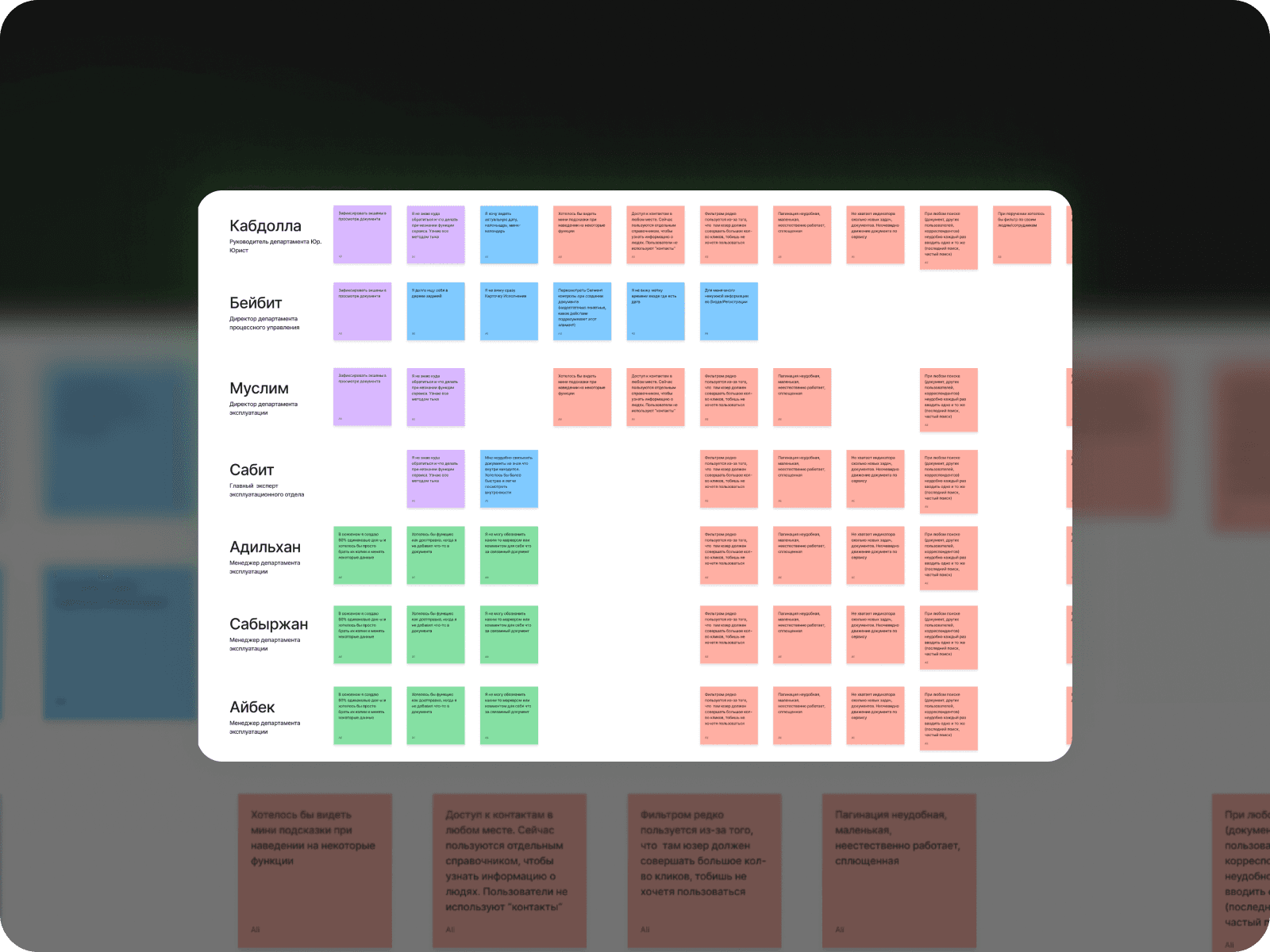
Then I did some qualitative analysis, organized meetings with the main focus groups. I talked to them, gave them tasks and from that I collected pain points and observed how they actually work and recorded everything of course.
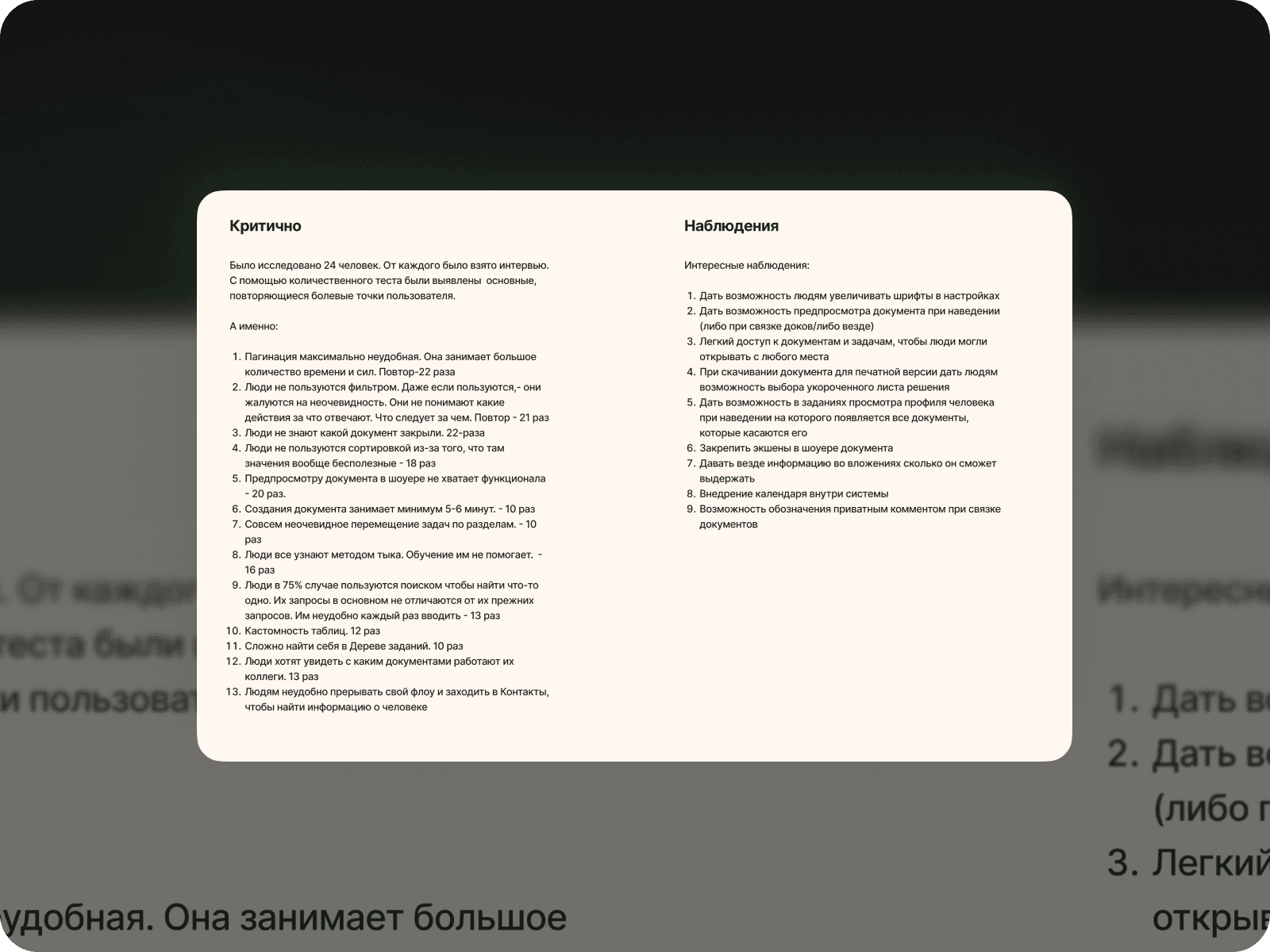
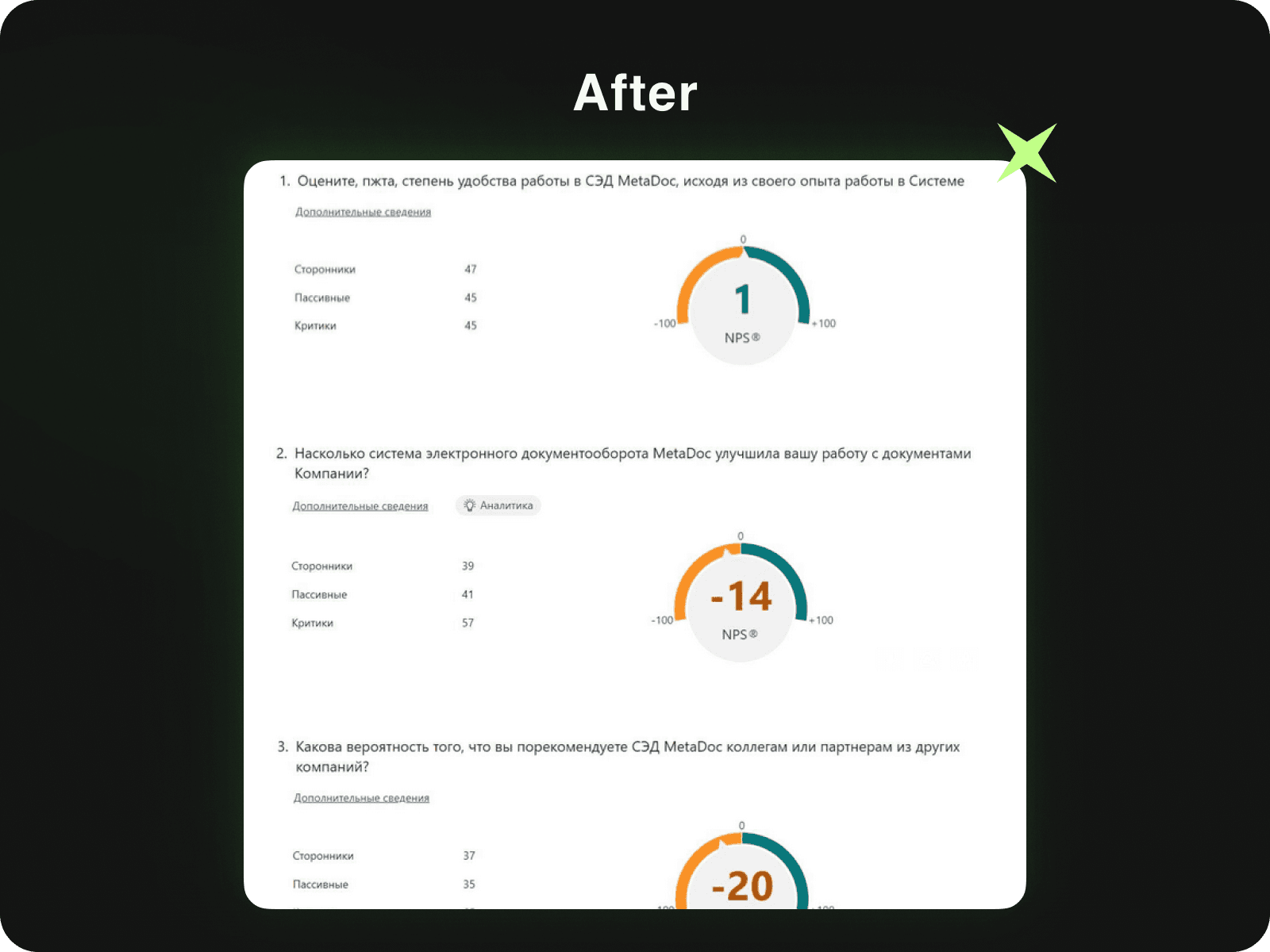
In addition, surveys on NPS were conducted in which 150 users participated (116 in Russian, 34 in Kazakh ). The initial result was on average -25.
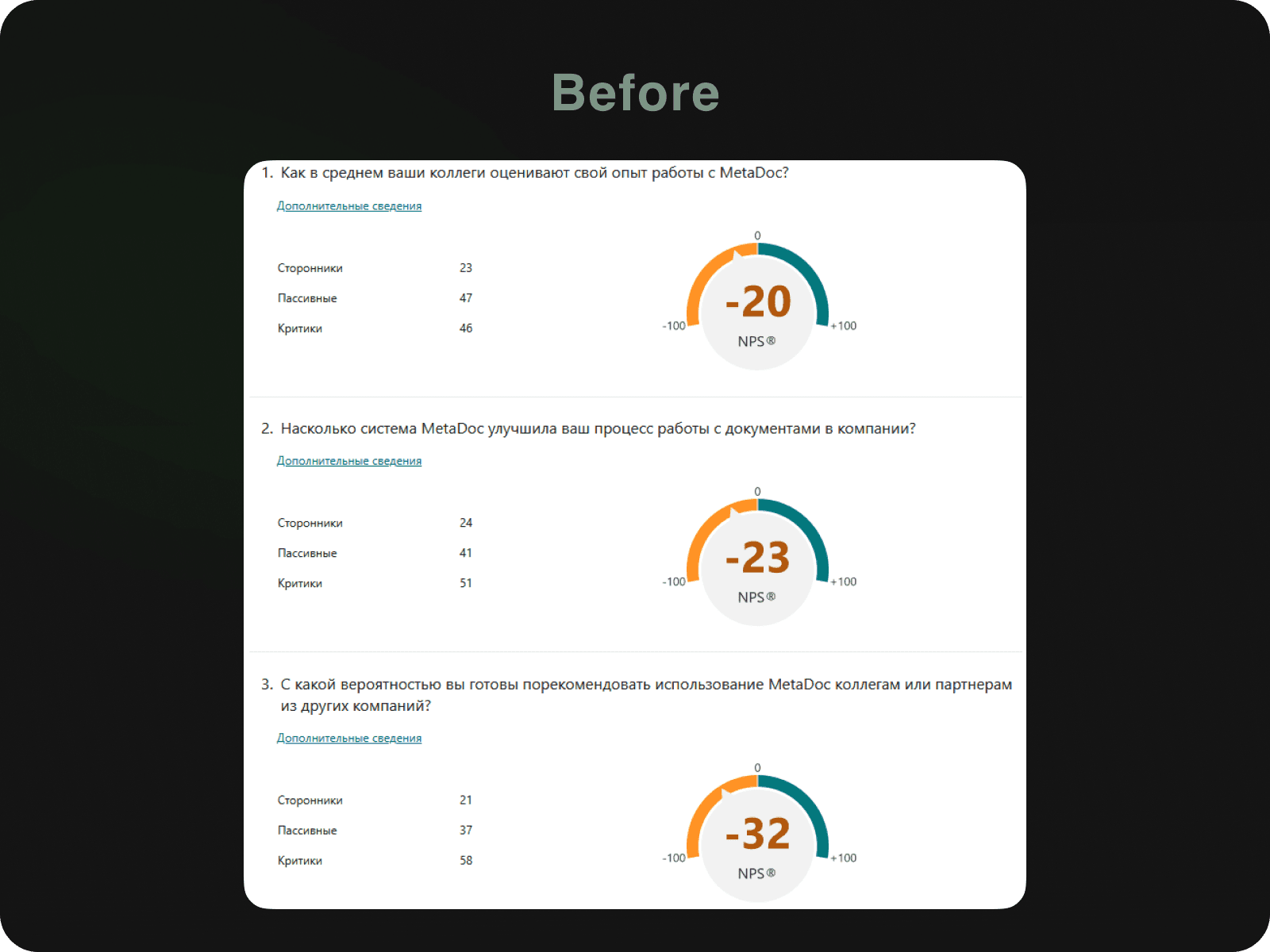
A picture was already forming. Now it was necessary to make Personas for a clear and deep view of our clients. I held repeated meetings, the number of participants was 24. That's how many I managed in one week.
I was also helped by the data I had collected earlier. All that was left was to consolidate everything. There were 3 types of people, because we had many focus groups and they differed in their loyalty to the product.
And the last thing that was done was to develop a full-fledged procedure and standard for conducting UX tests. I was the observer and the analyst was the moderator. We used data collection methods such as Think Aloud, Observation, Observation with moderator intervention.
And the metric was the success rate: 0% if the respondent failed, 50% if the respondent succeeded with help, 100% if the respondent completed the task completely independently. Also, we were very careful about timing, trying not to violate the allotted time. And as a task we used full context for pure effect.
Thus, the company has a full-fledged research UX-stage, which not only helped to save more than 36% of development costs, but also significantly increased the quality of user experience and understandability of the interface.
User Experience Improvement Process
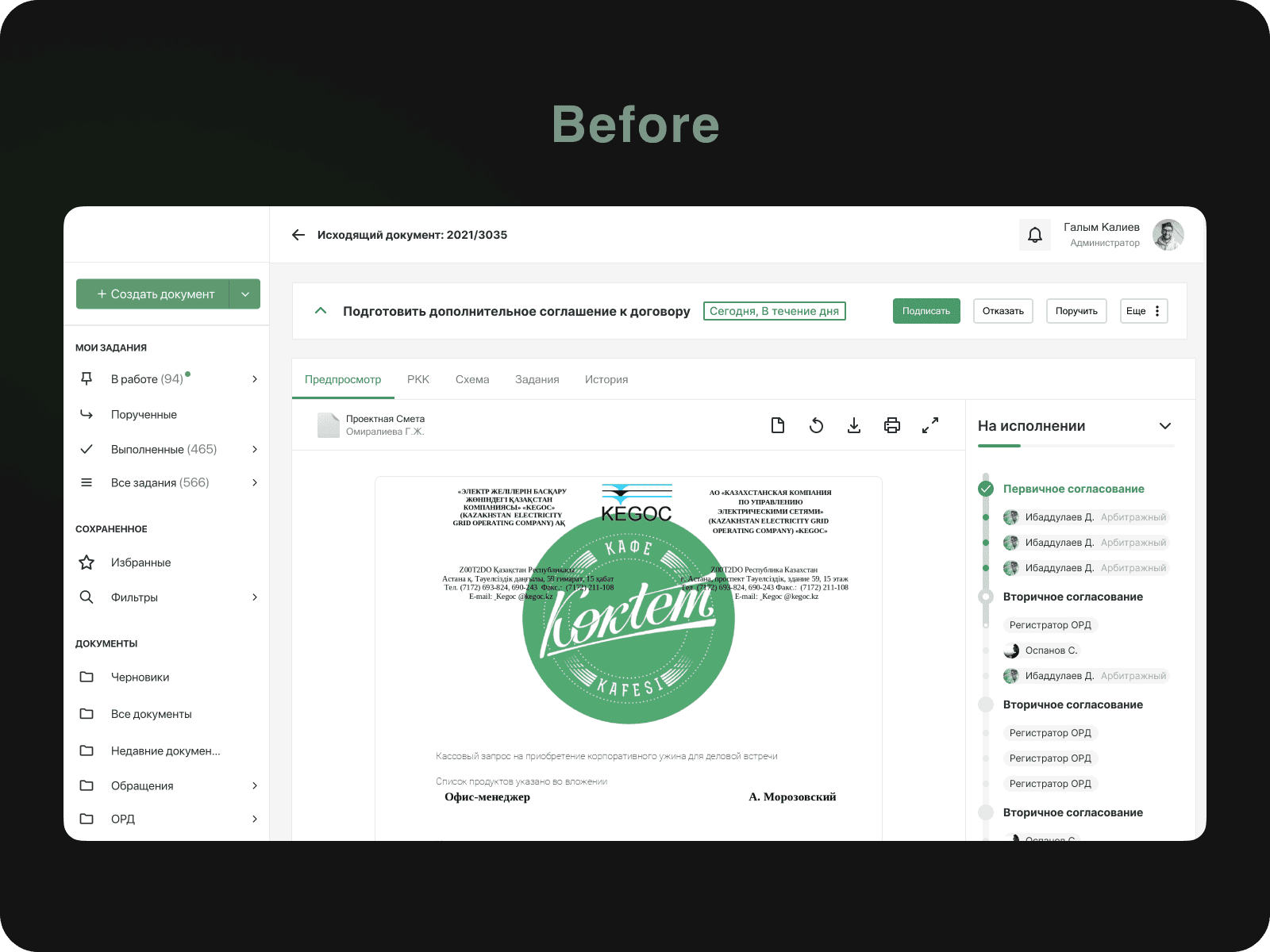
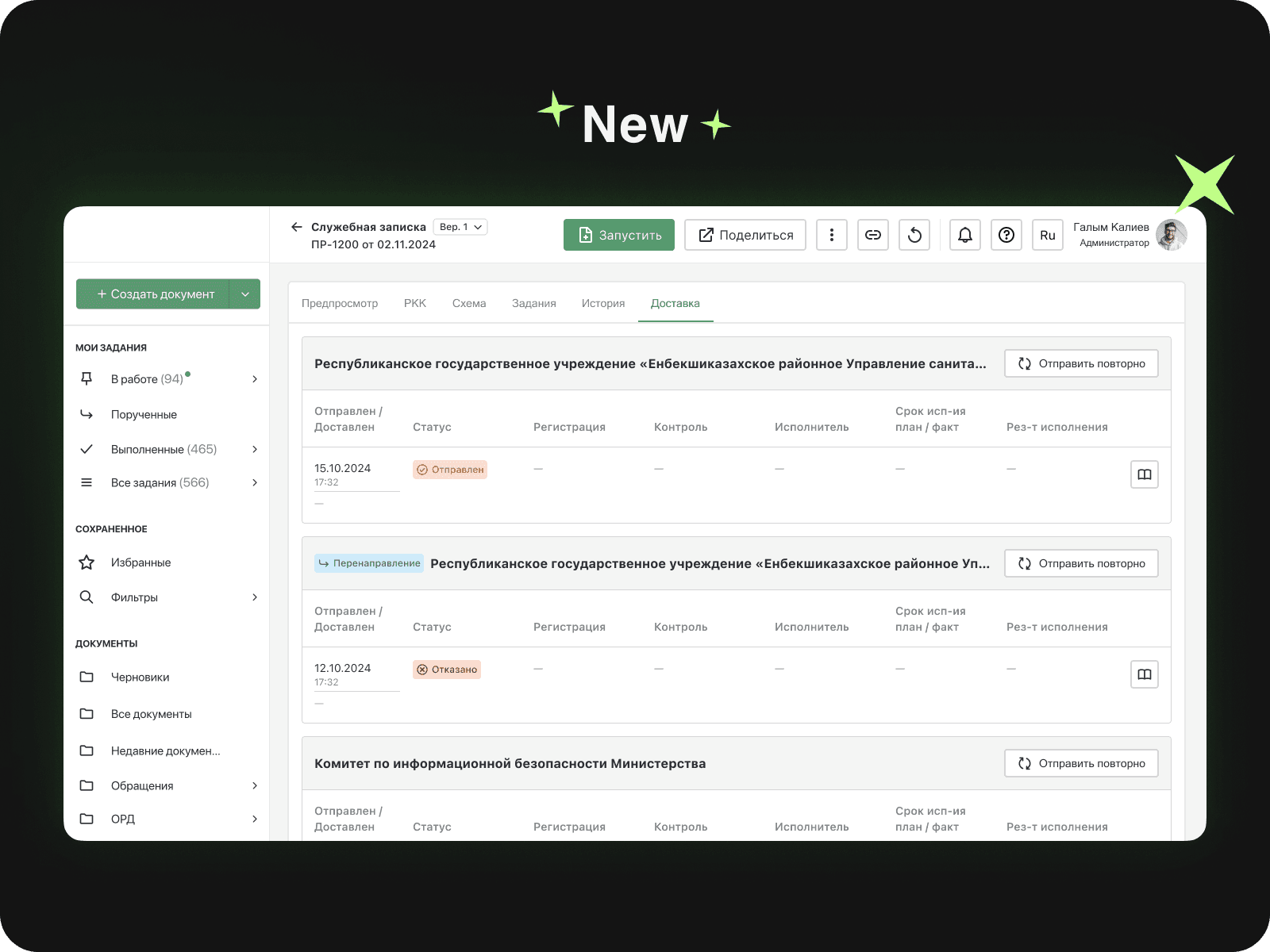
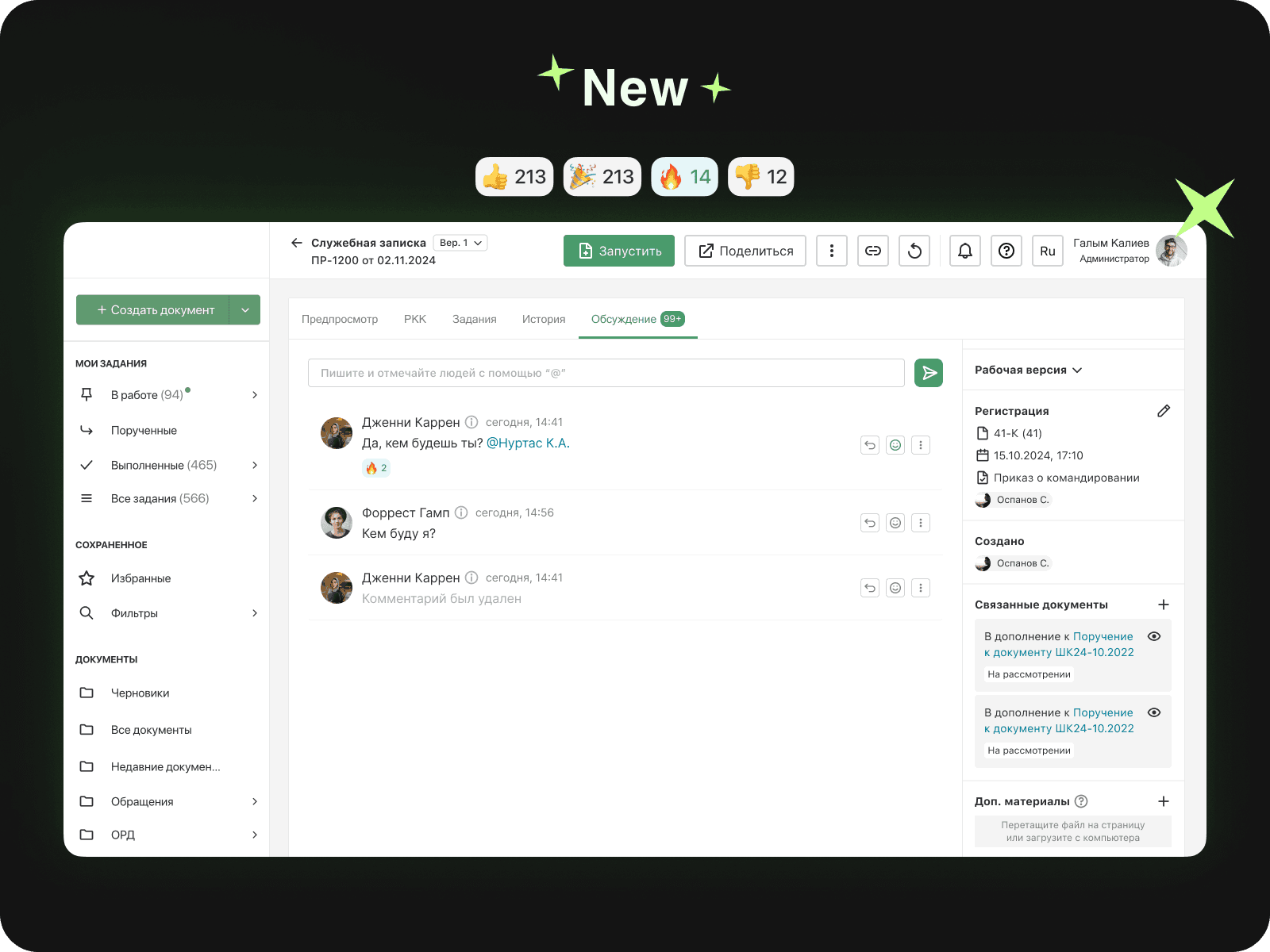
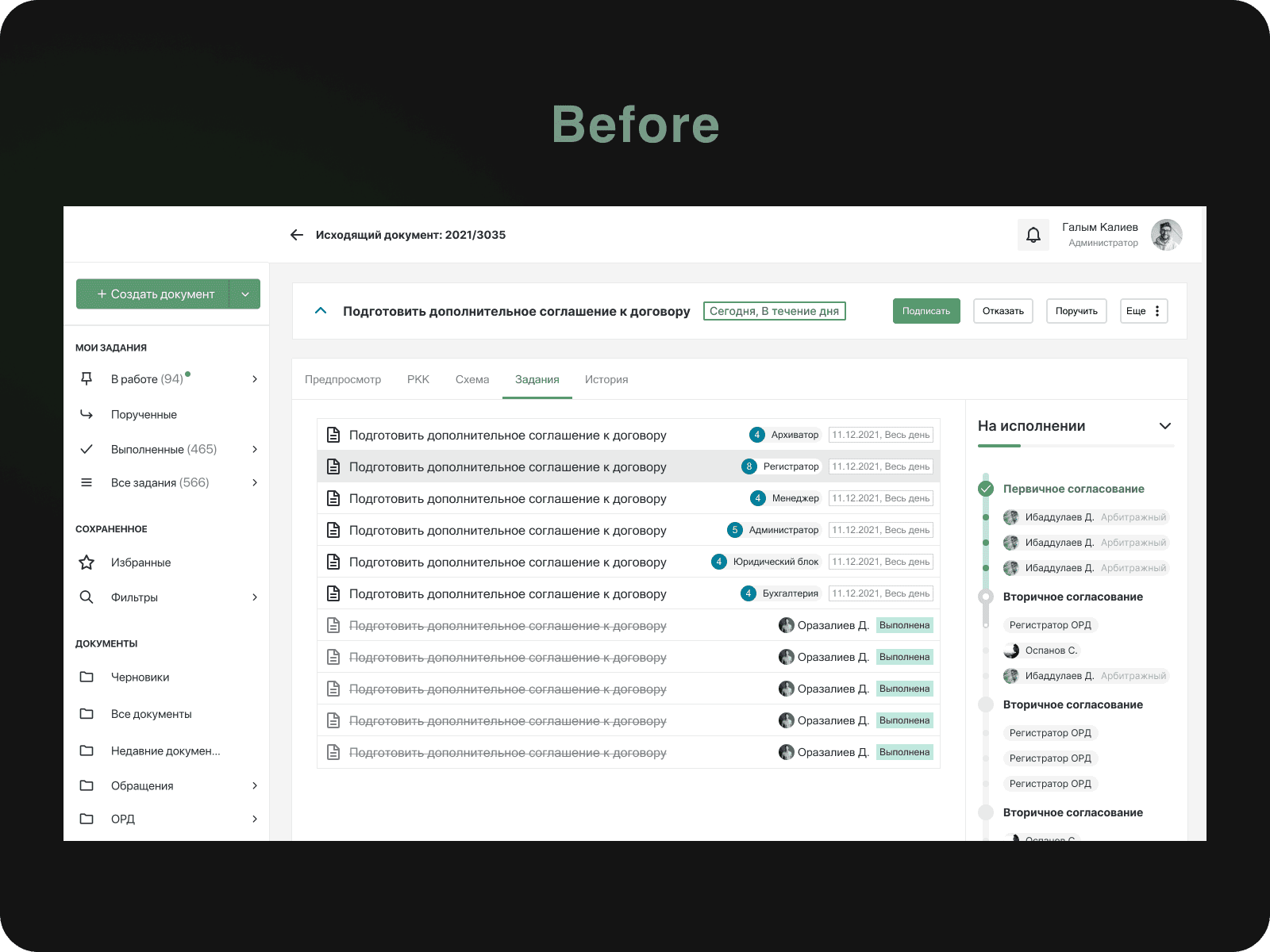
Enhanced the functionality of the document viewer
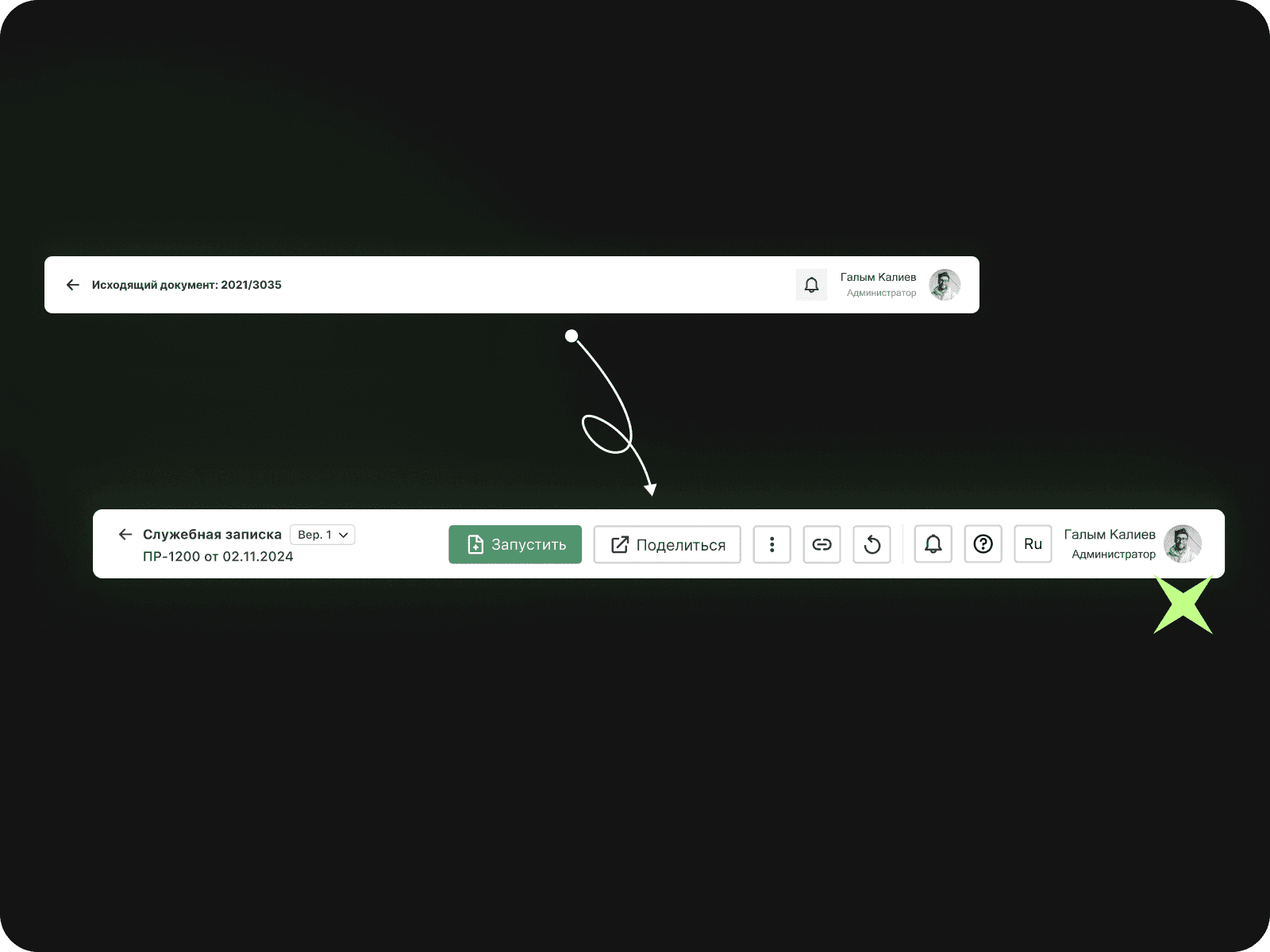
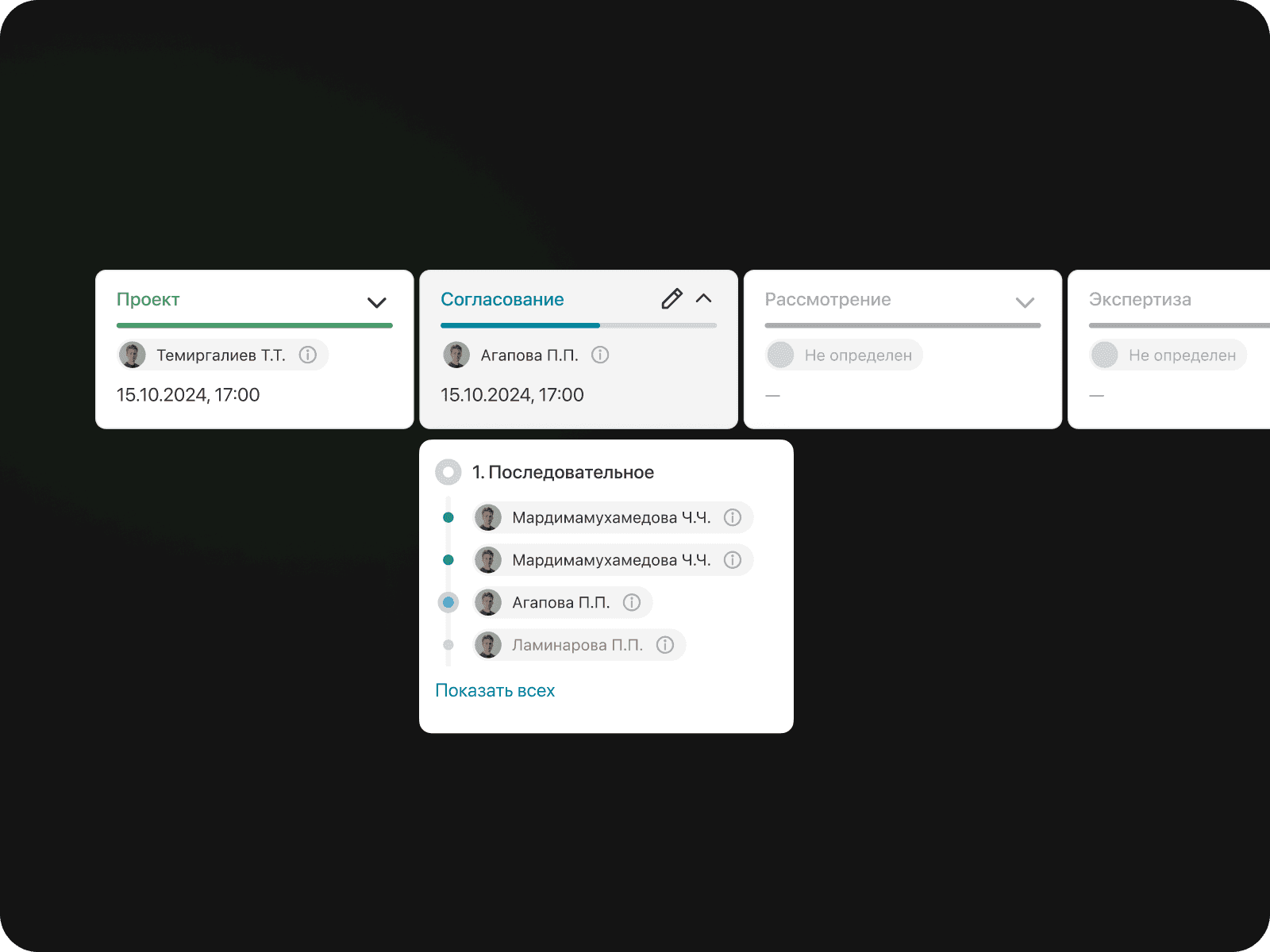
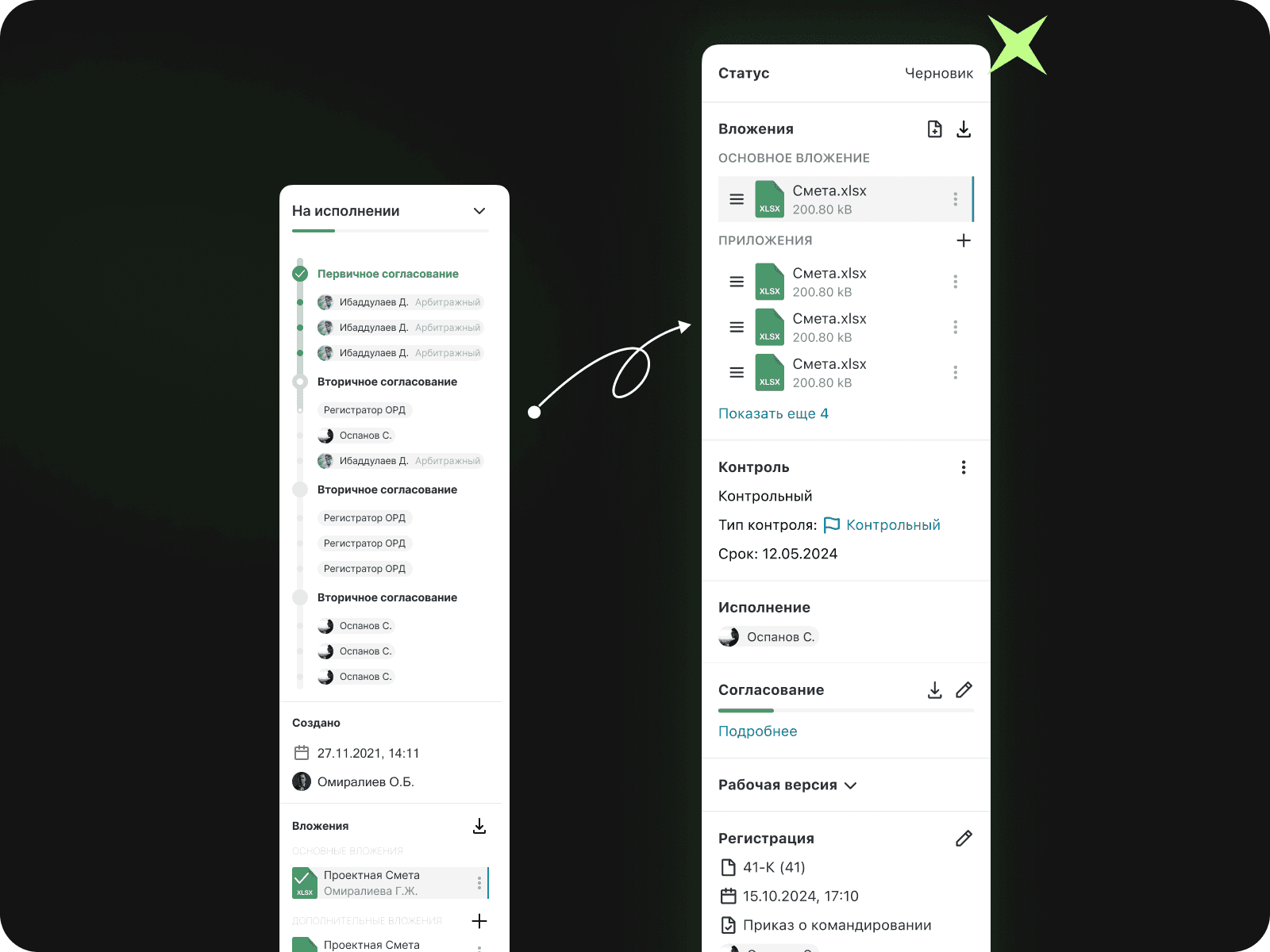
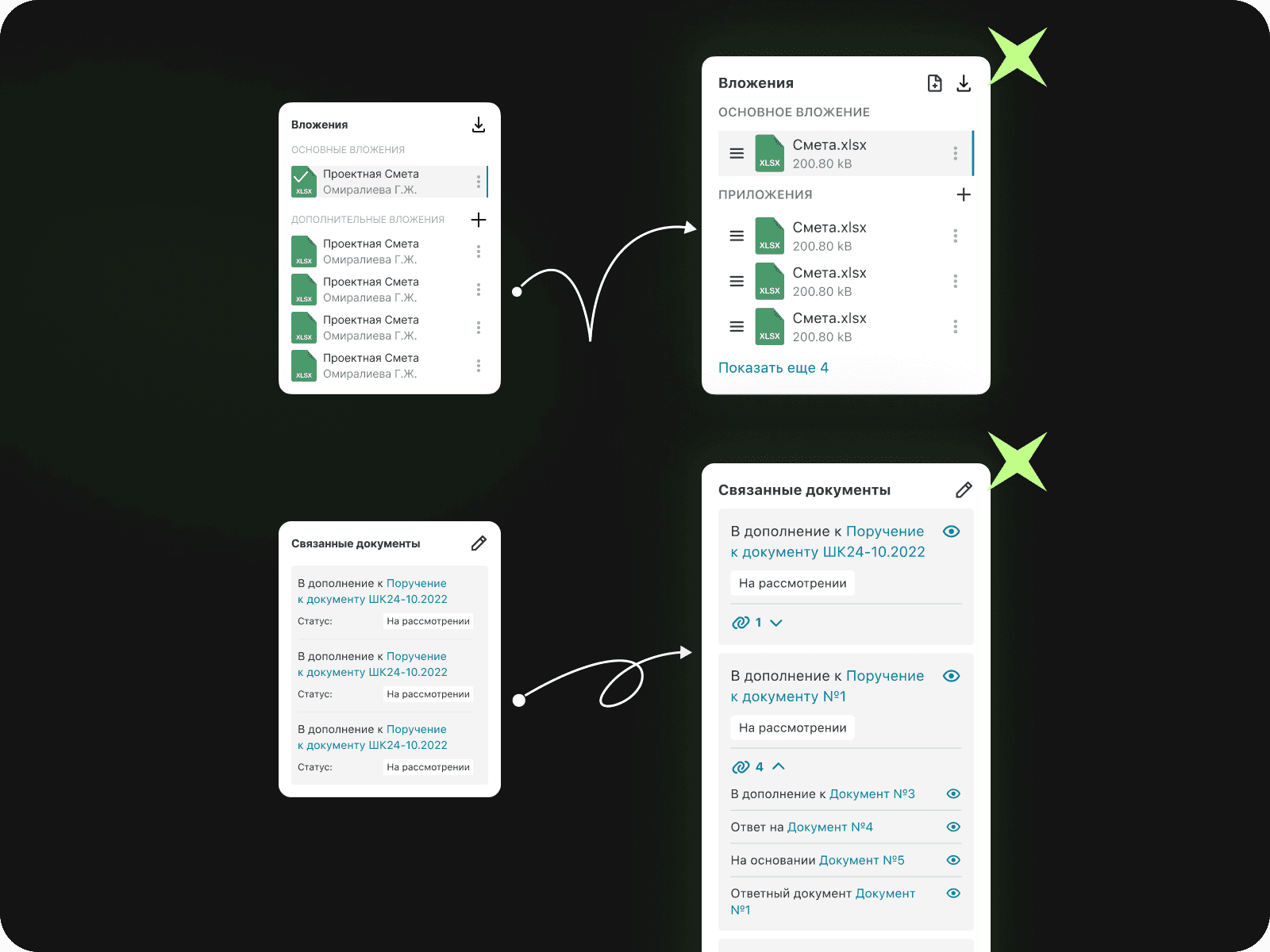
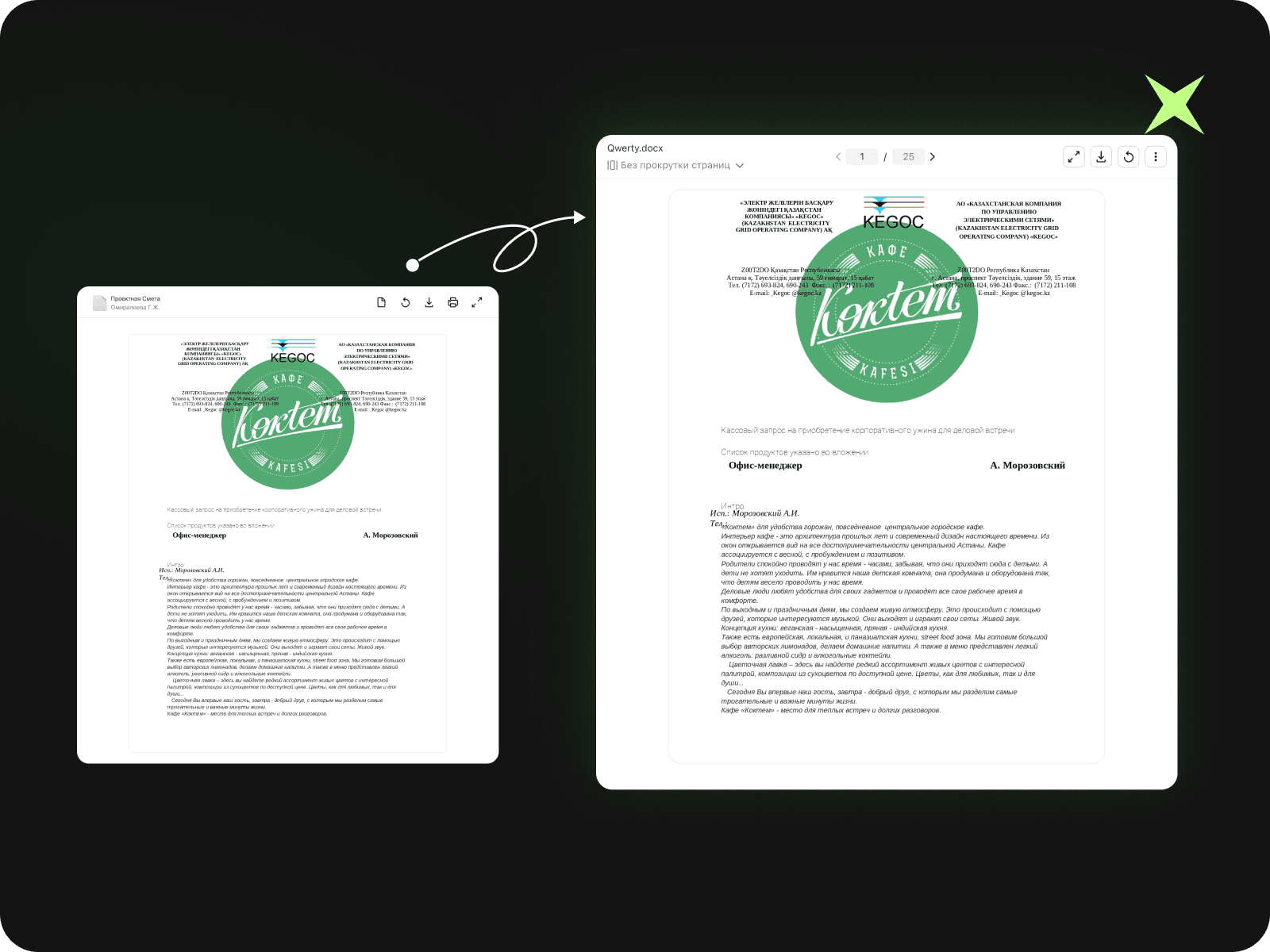
What the overall result was
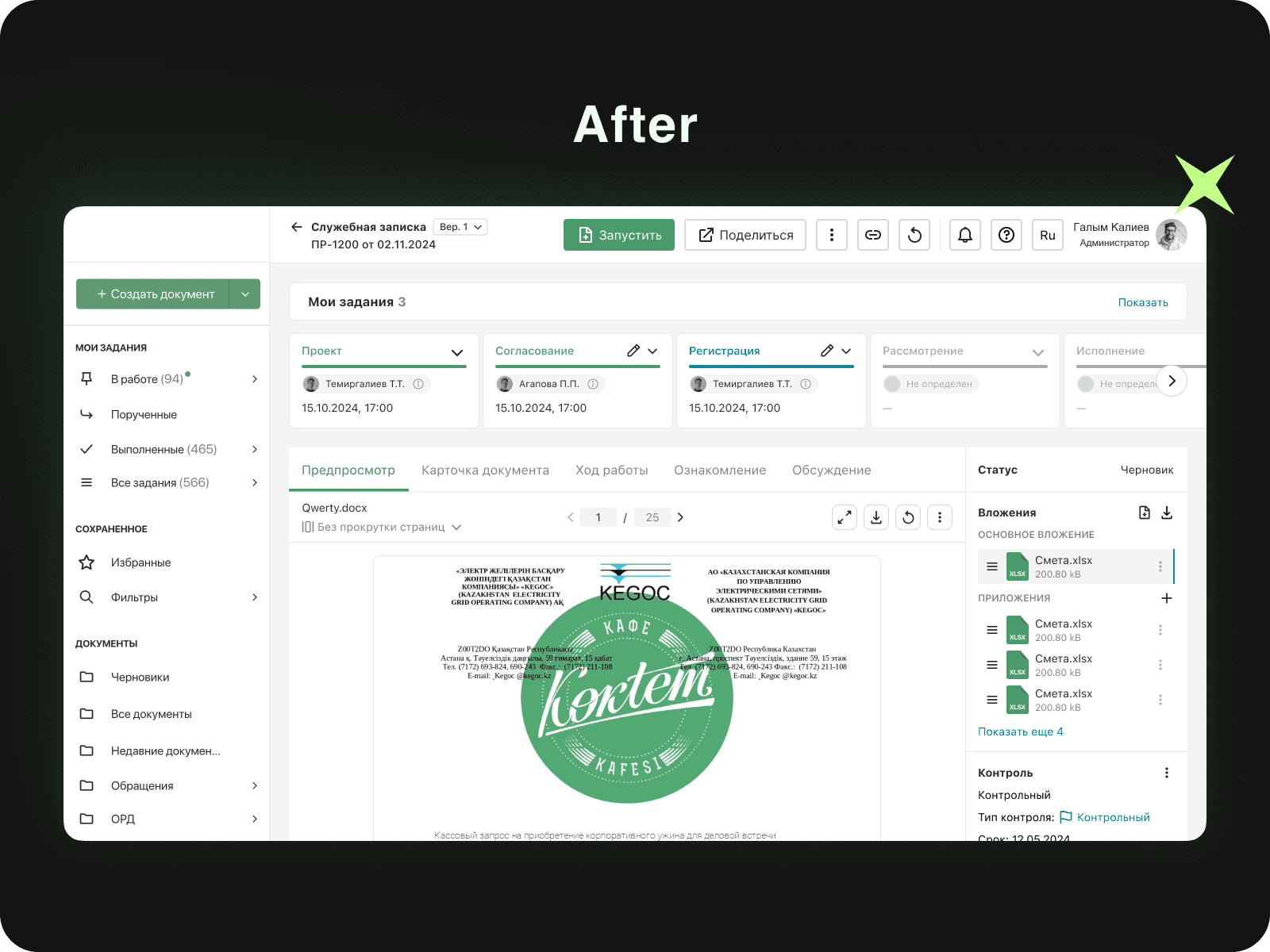
Receipts
Discussion
Job tree
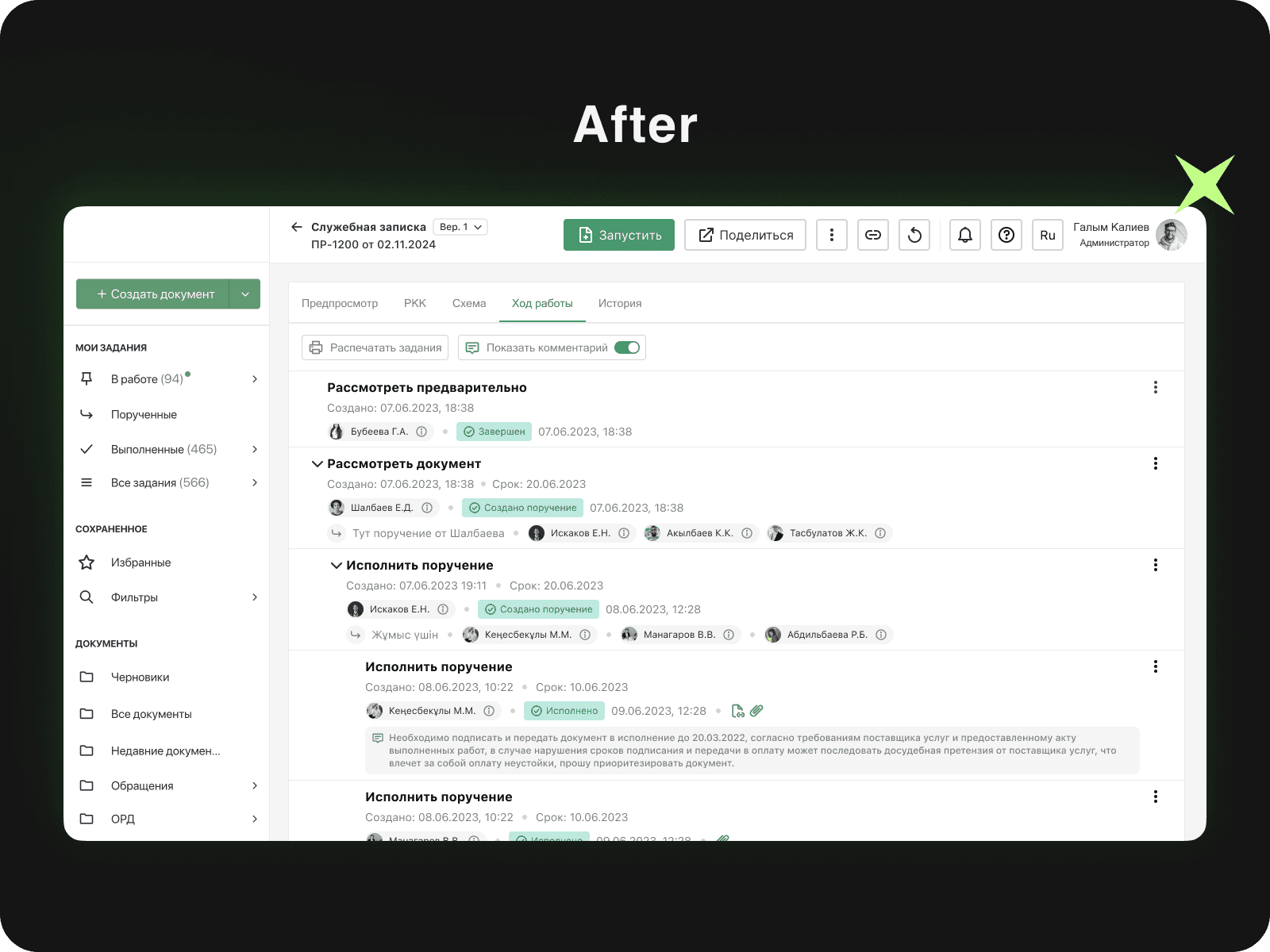
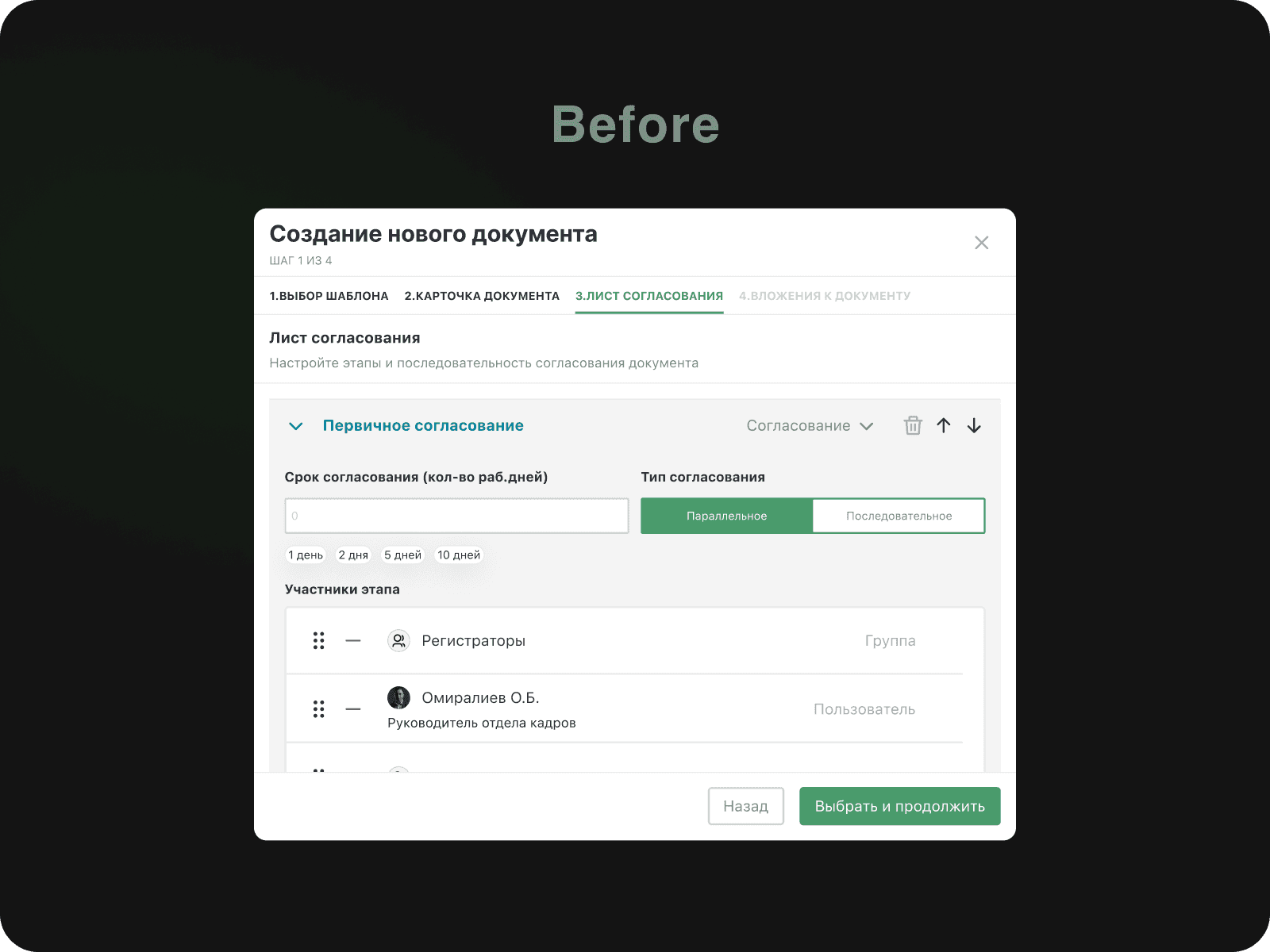
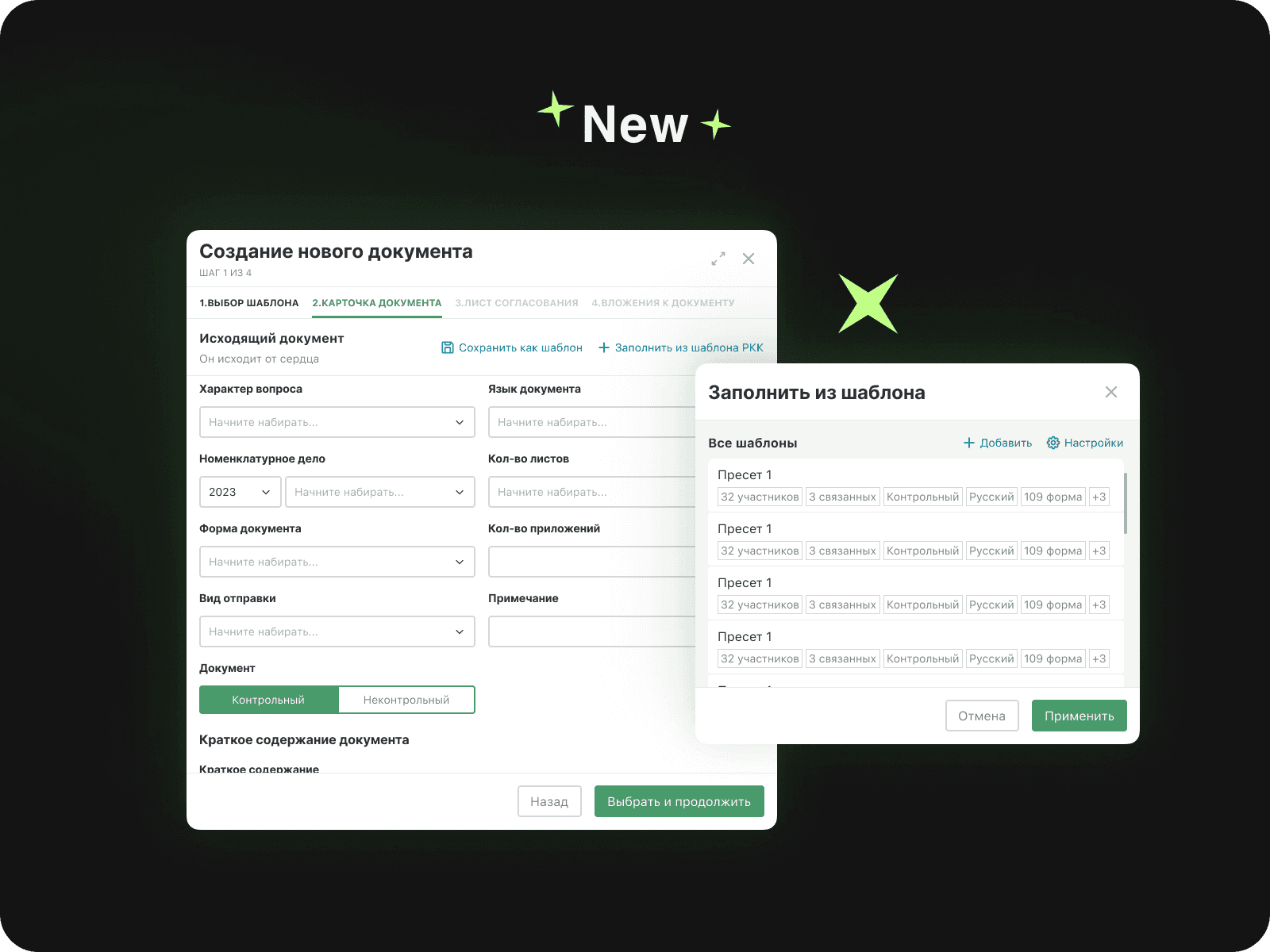
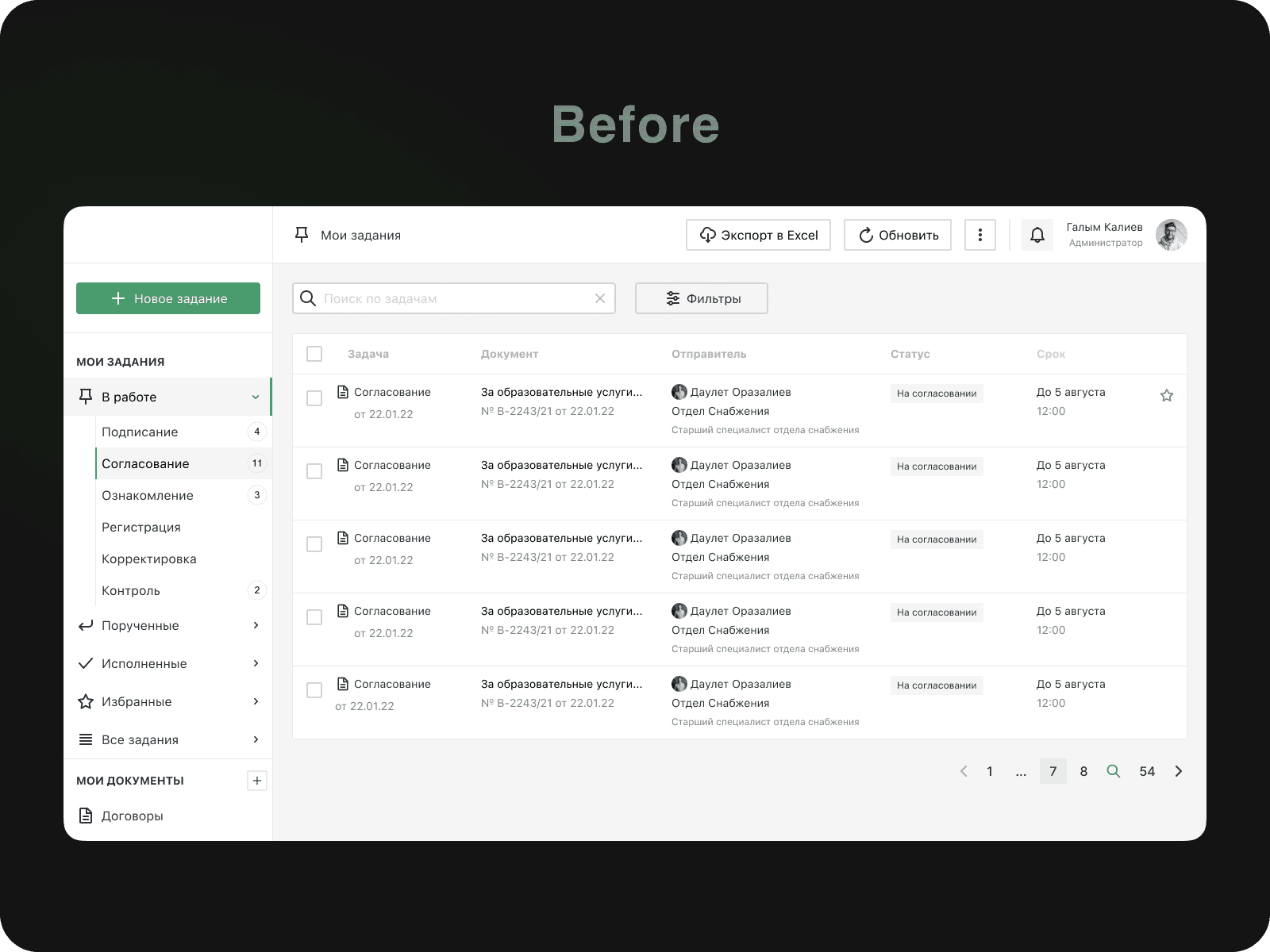
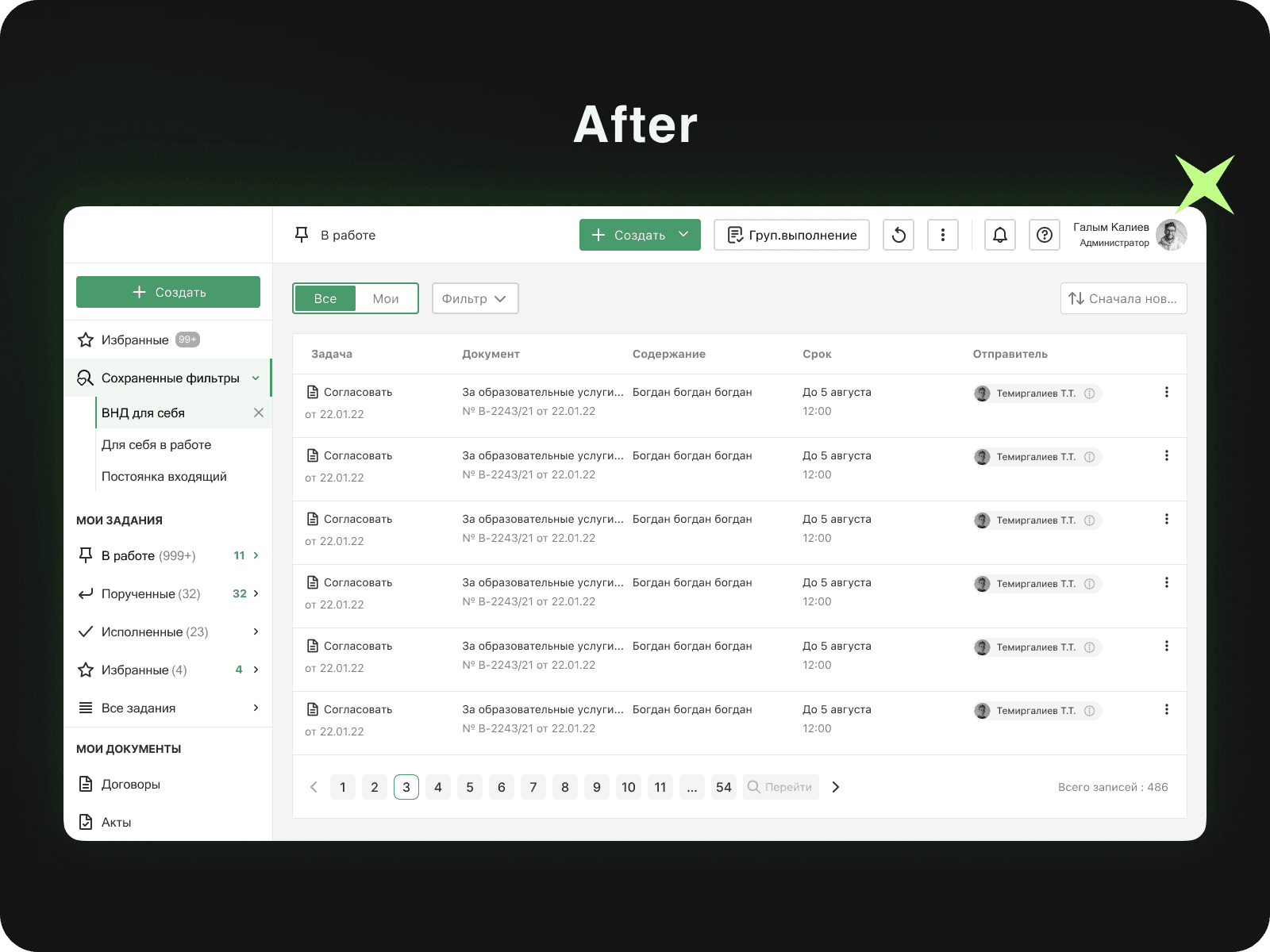
Found the pain points in creating the document
And a change was implemented based on feedback. The user journey was reduced to 2.5 minutes (50%):
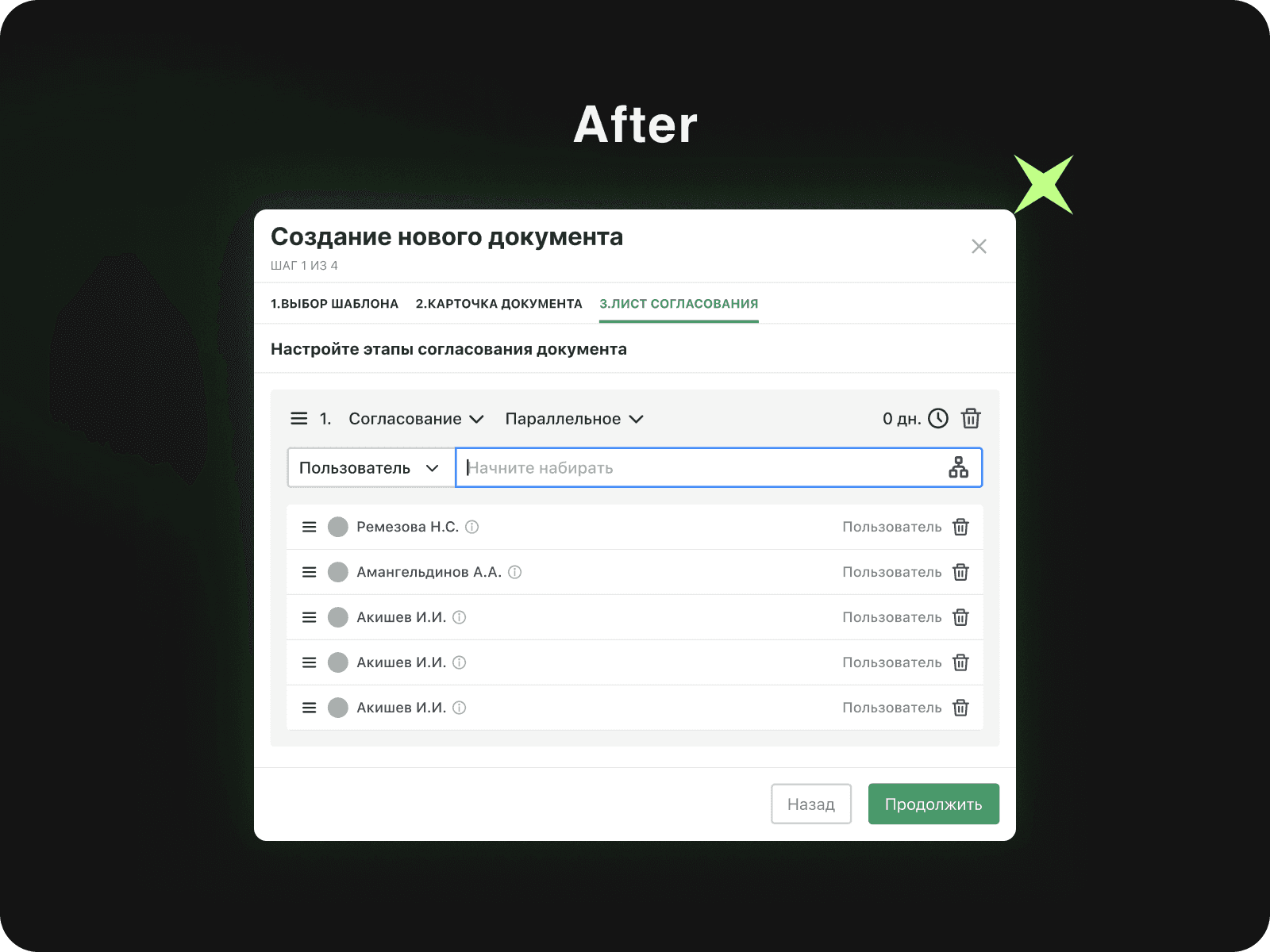
Tables
And a change was implemented based on feedback. The user journey was reduced to 2.5 minutes (50%):
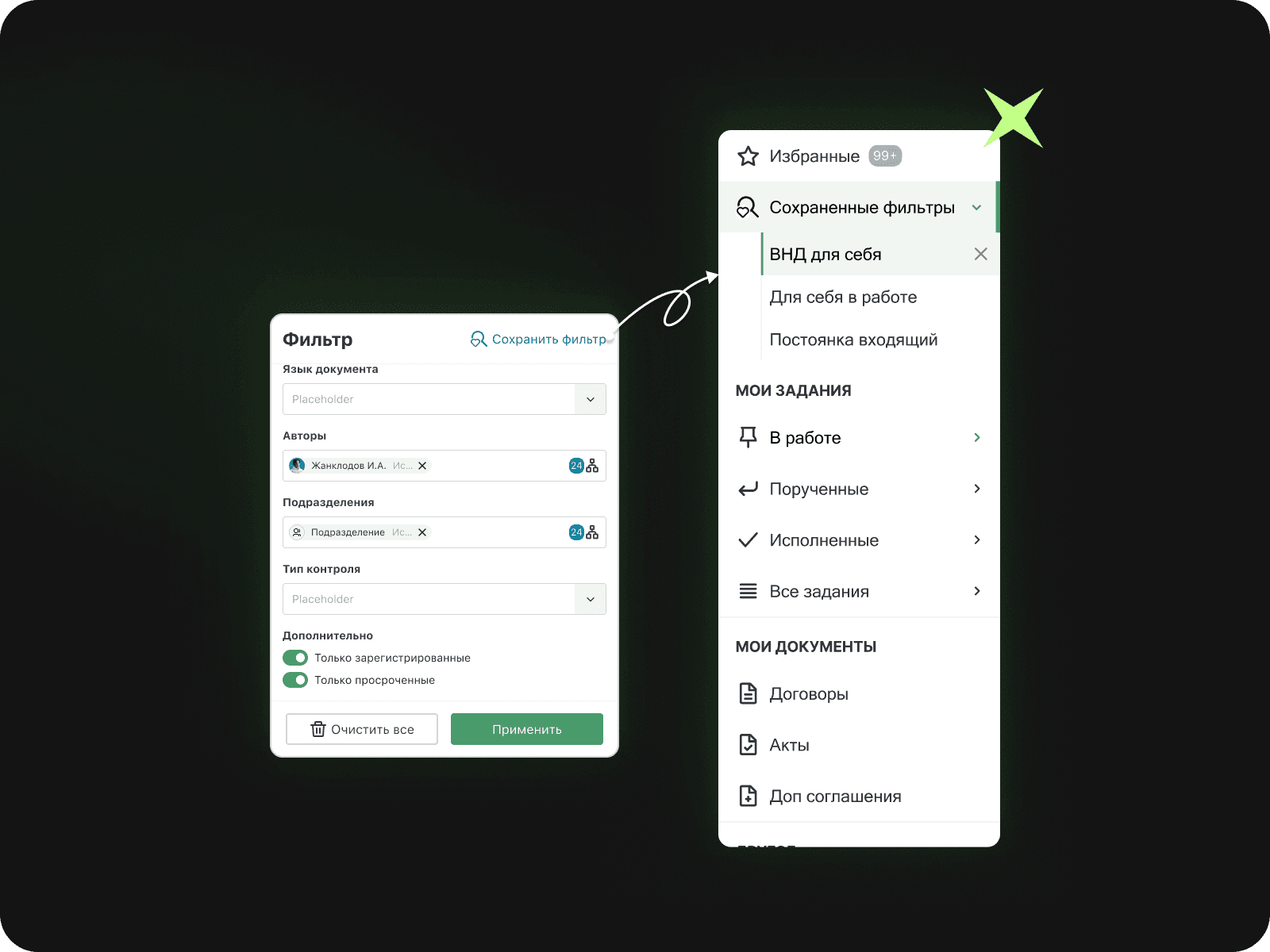
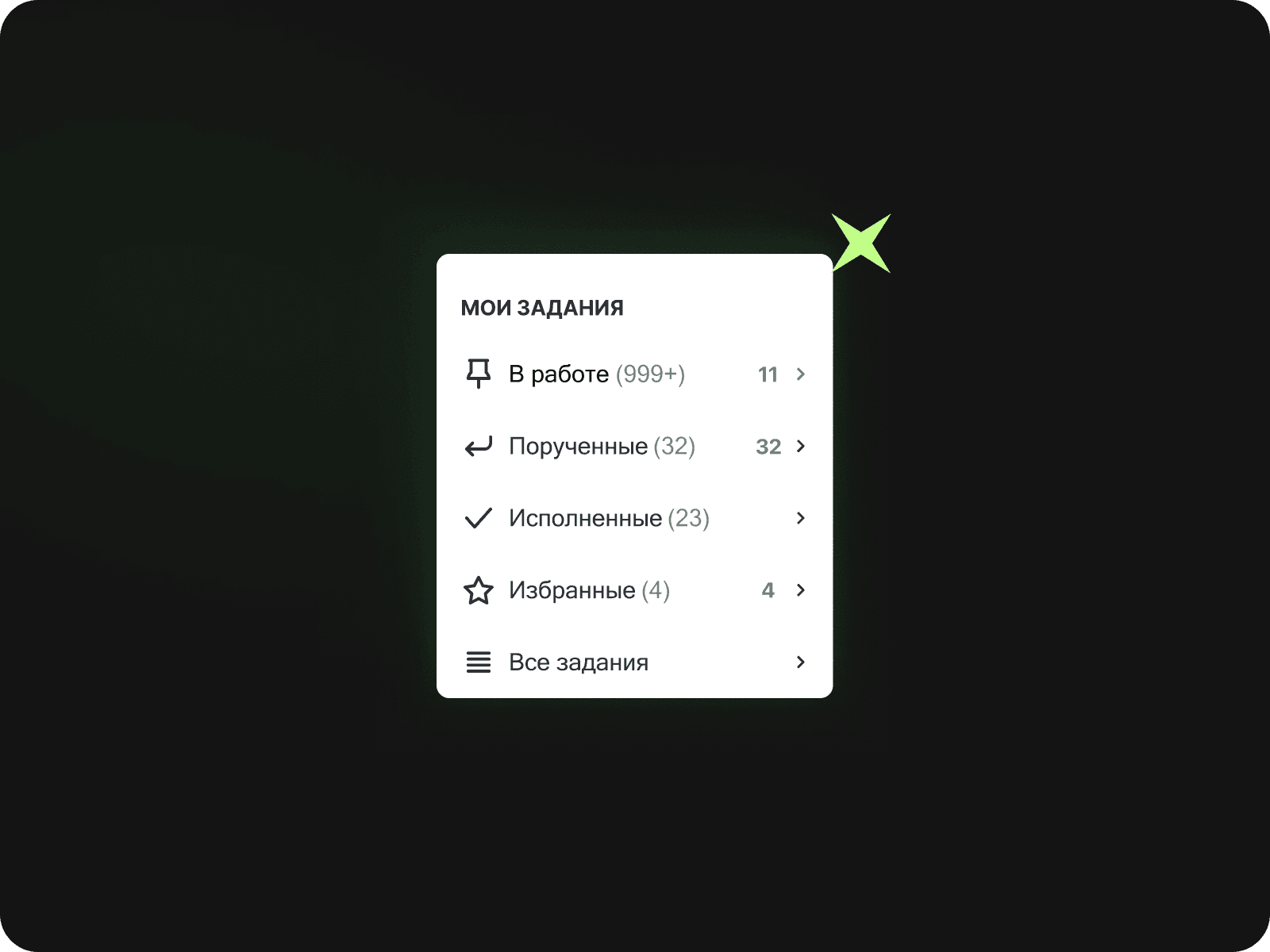
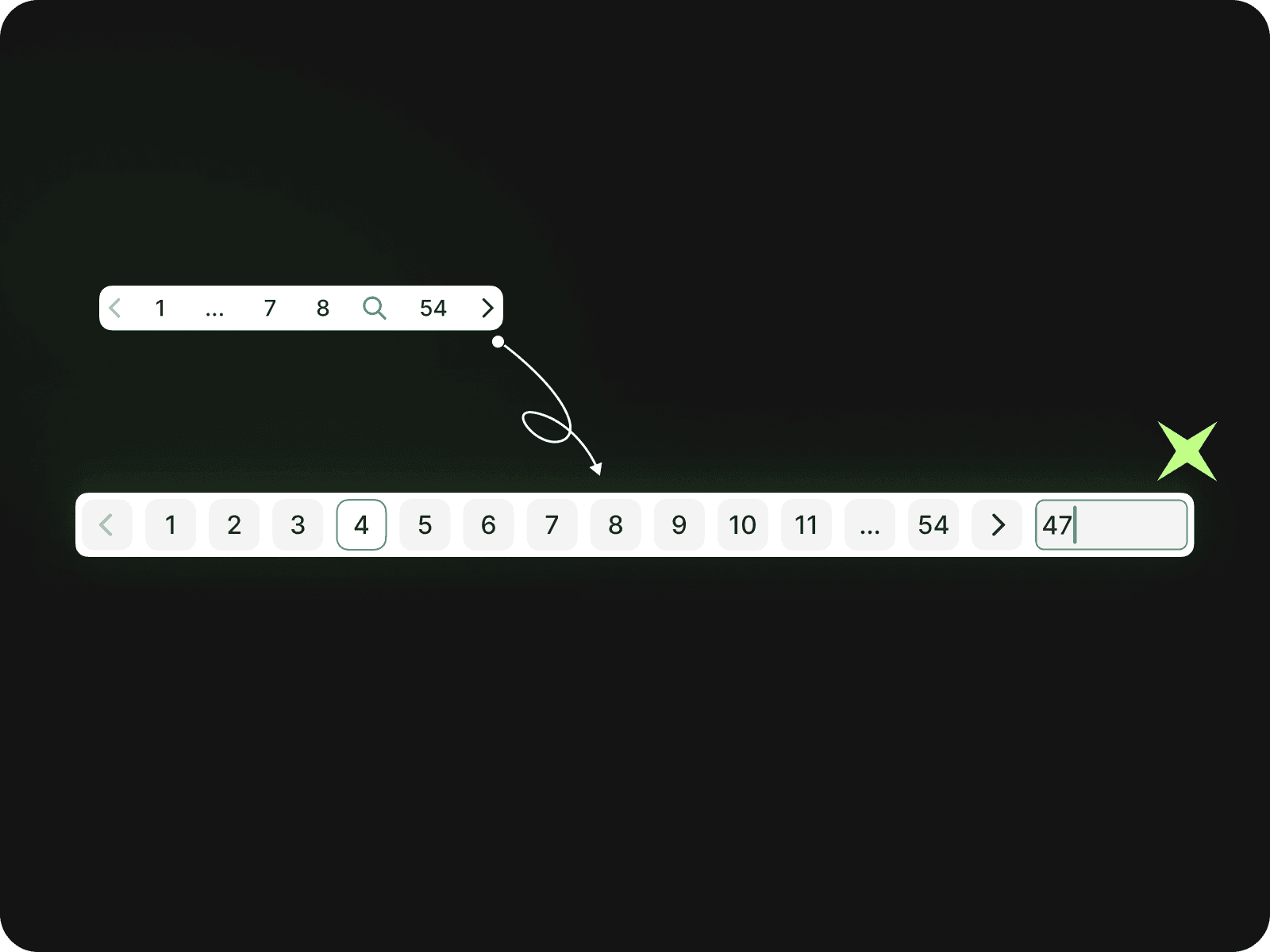
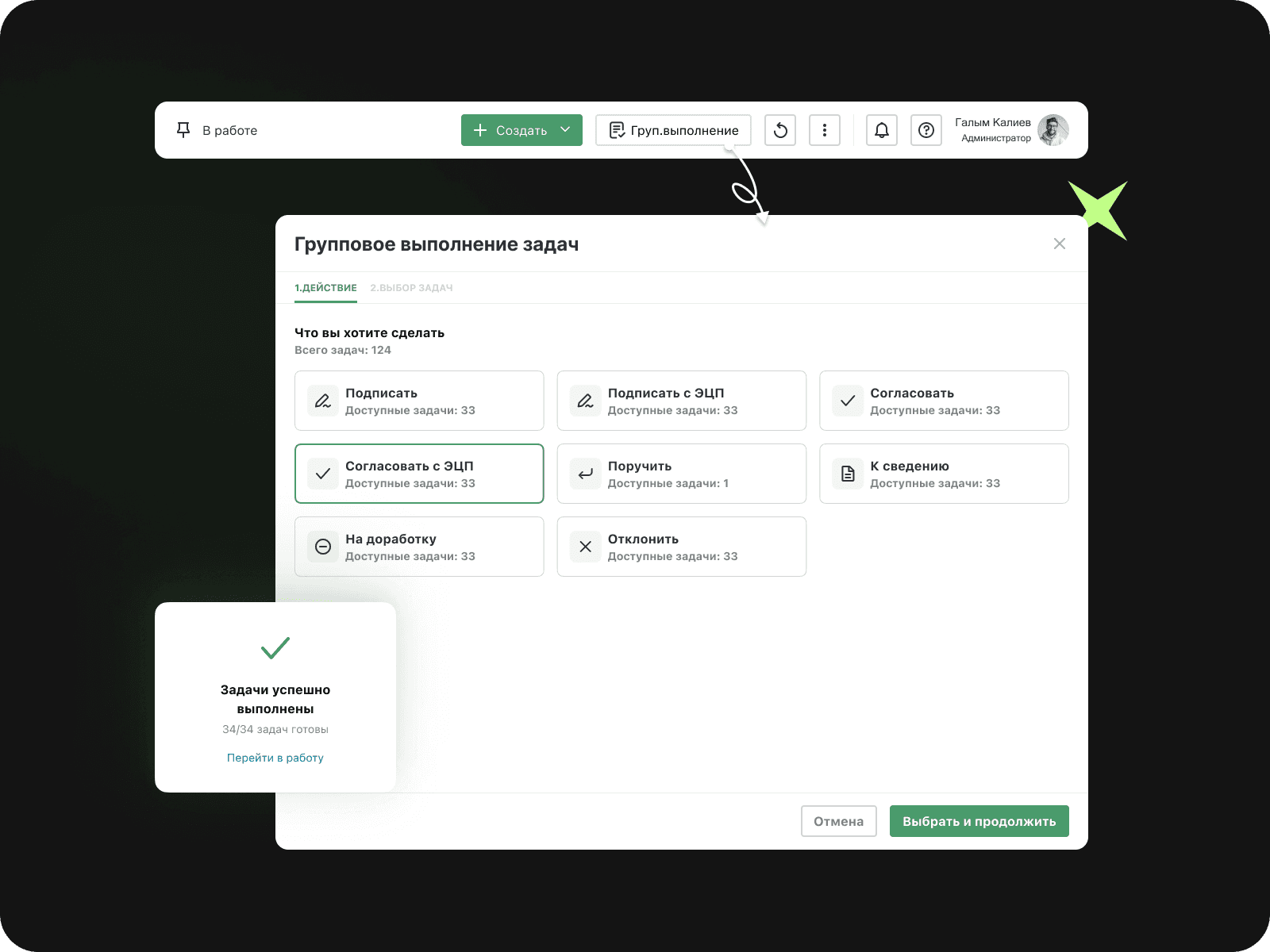
What the overall result was
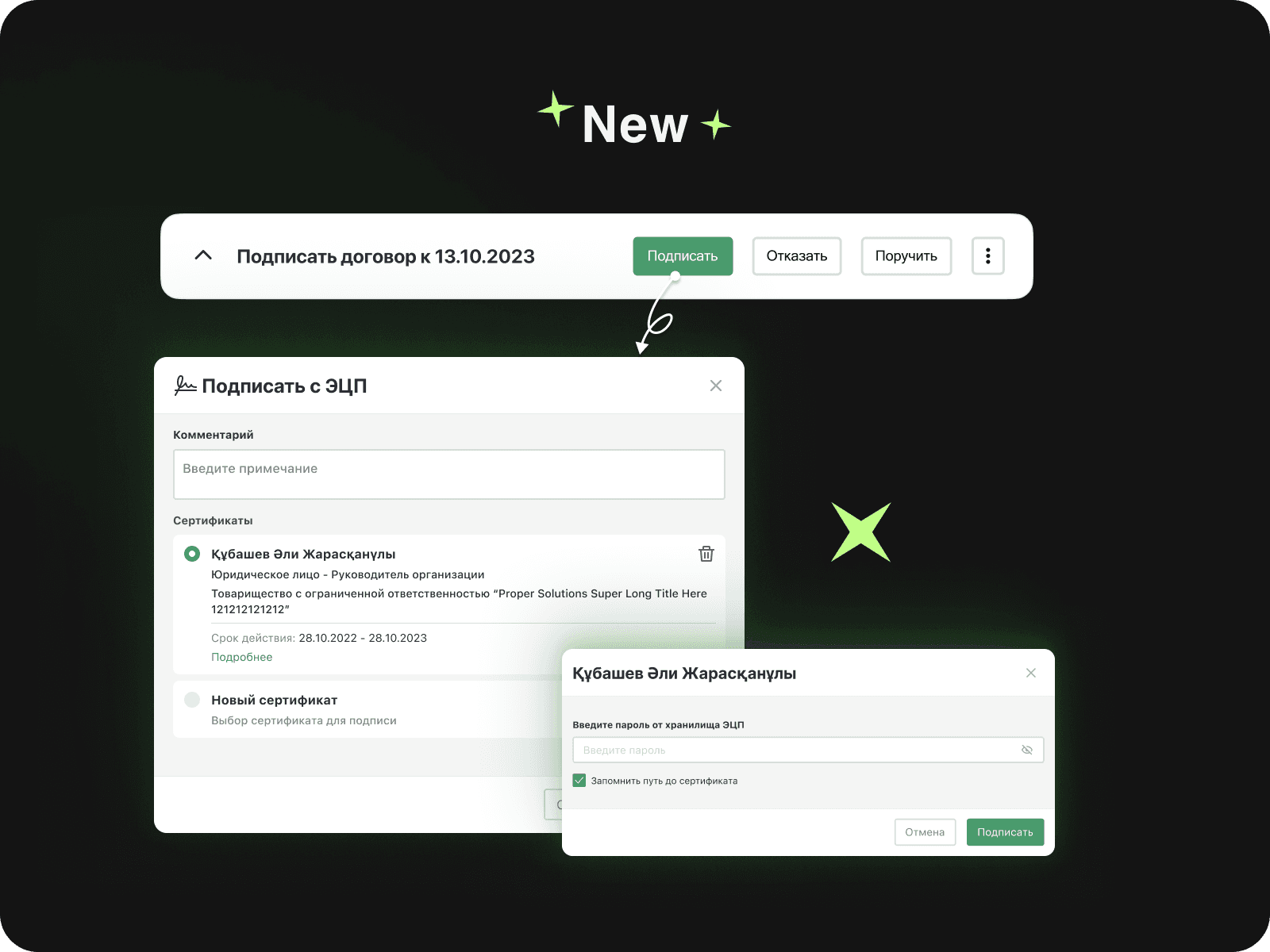
New process for signing documents
Completely implemented the EDS signing process from scratch with the ability to save certificate data:
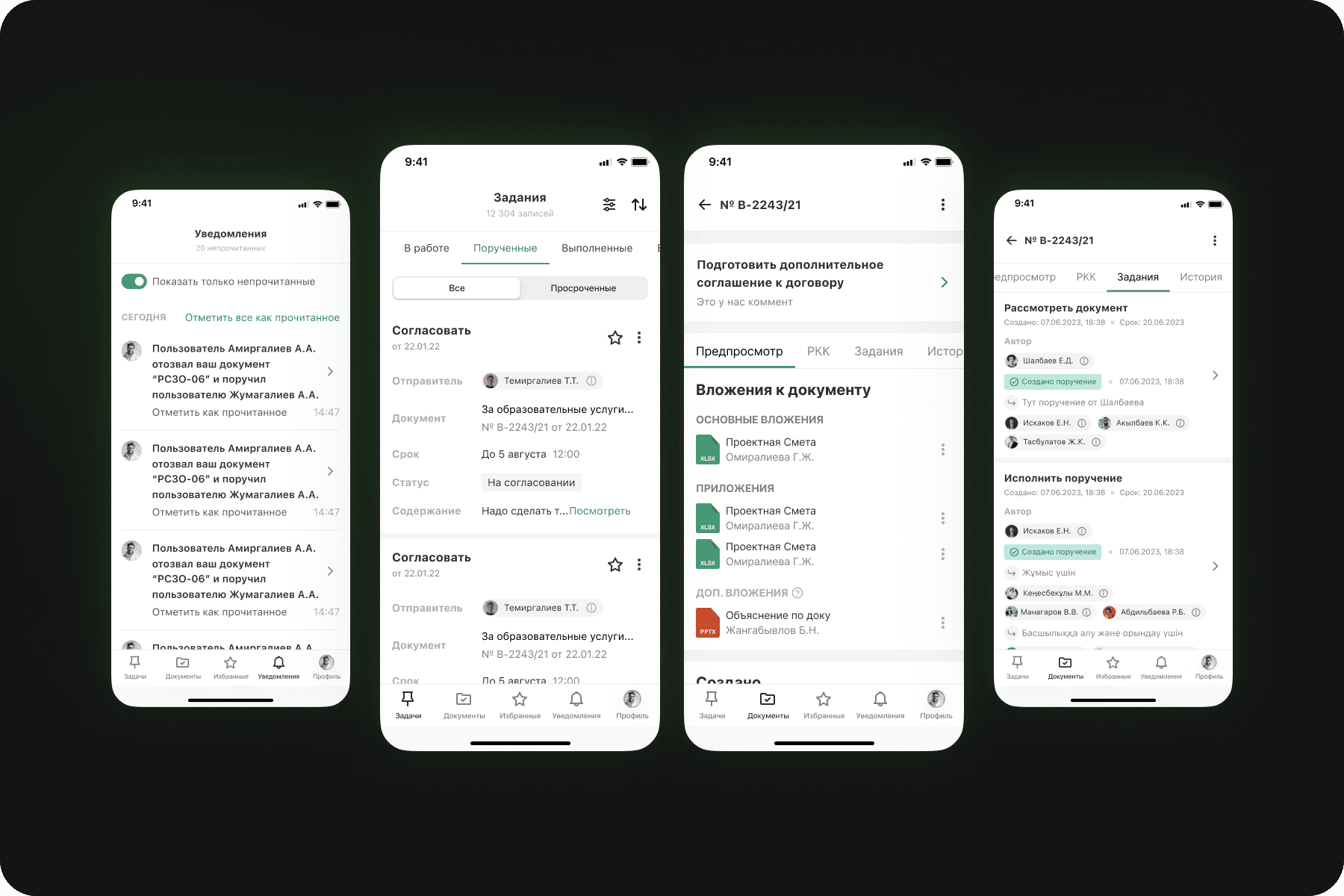
Mobile app
Complete change with a focus on core users (~5% are Managers and Supervisors):
Problems with the Design System
t's very simple. The problem was that the files in figma were not properly organized, they did not have a cover page and did not reflect the design process and chronology of the change. In addition, all the components were scattered and not wrapped in a master component and there were no tokens accordingly.
There were some very serious problems coming from that:
The designer looks for repetitive elements every time
Developers don't understand design and do it their way
There is not the same visual understanding of the product between developers and designers
Decision:
Create a design system project that will have weekly meetings. Which includes responsible front-end developer, designer, analyst.
In figma, separate everything into the right folders, in each task leave Notes and Documentation on design decisions, Keep a clean file.
Create a separate folder for Root values. These are mostly tokens (color, effects, scales, typography). Then create another folder for Components. Root values will be referenced in it.
And of course, in the process always communicate with the fronts and work on naming so that both the designer and the front end “speak” and “do” in the same language.
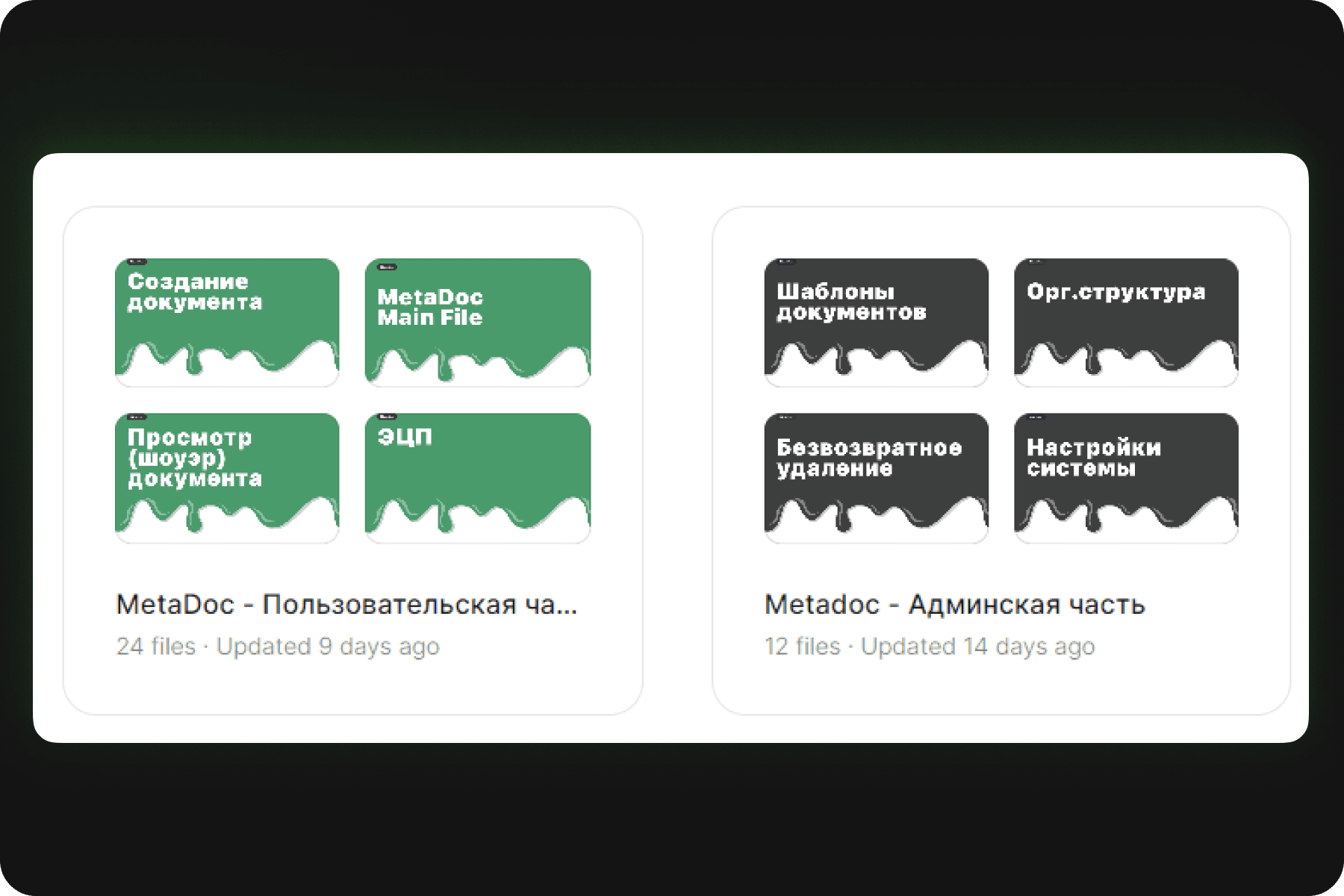
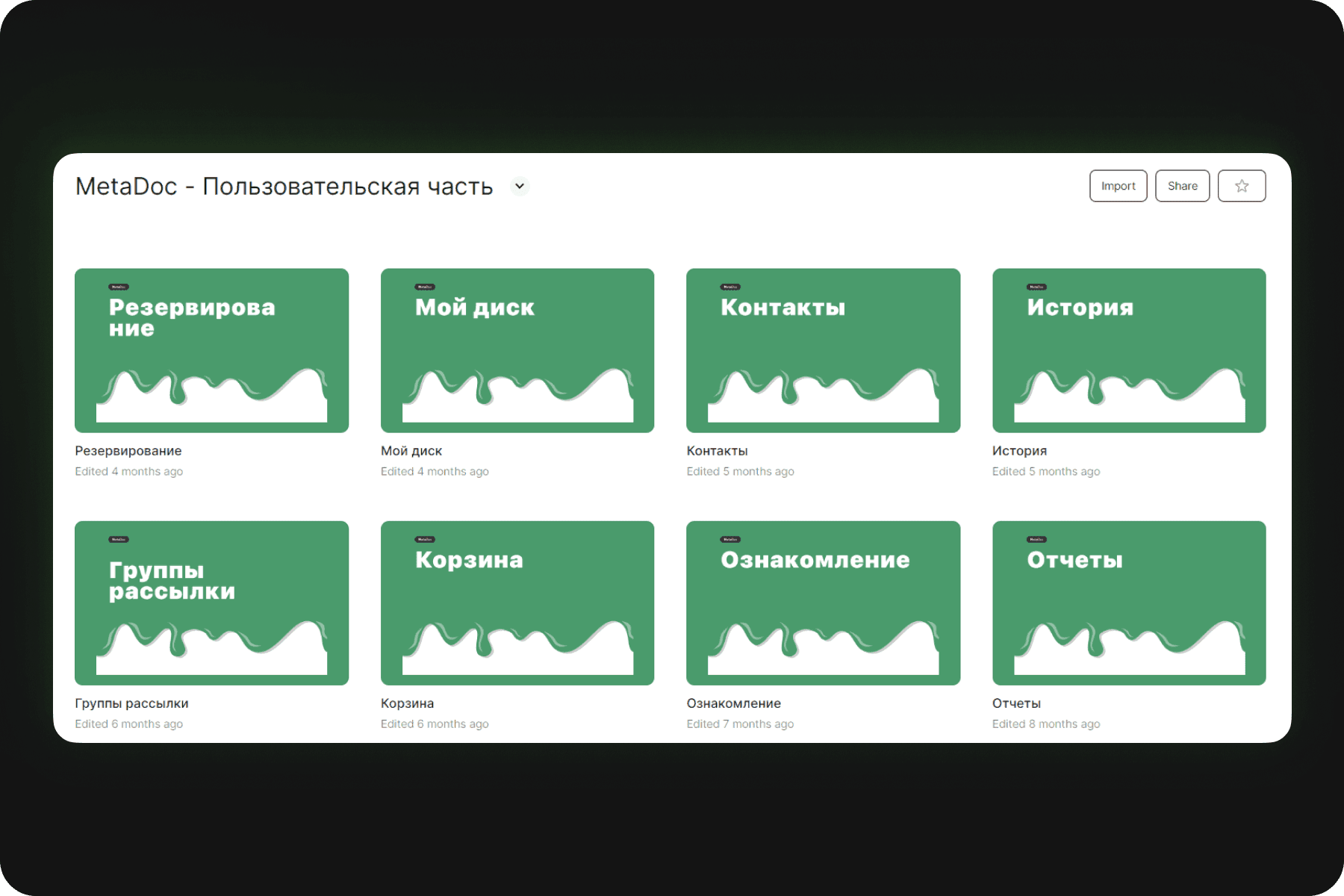
First, I divided the project into several sections
User part
Administrative part
Design system
Root (Tokens)
Components
UX
Landings
Folder organization
In each folder there was a pagination or important process files. And each file contained a certain task with its versioning.
Tokens
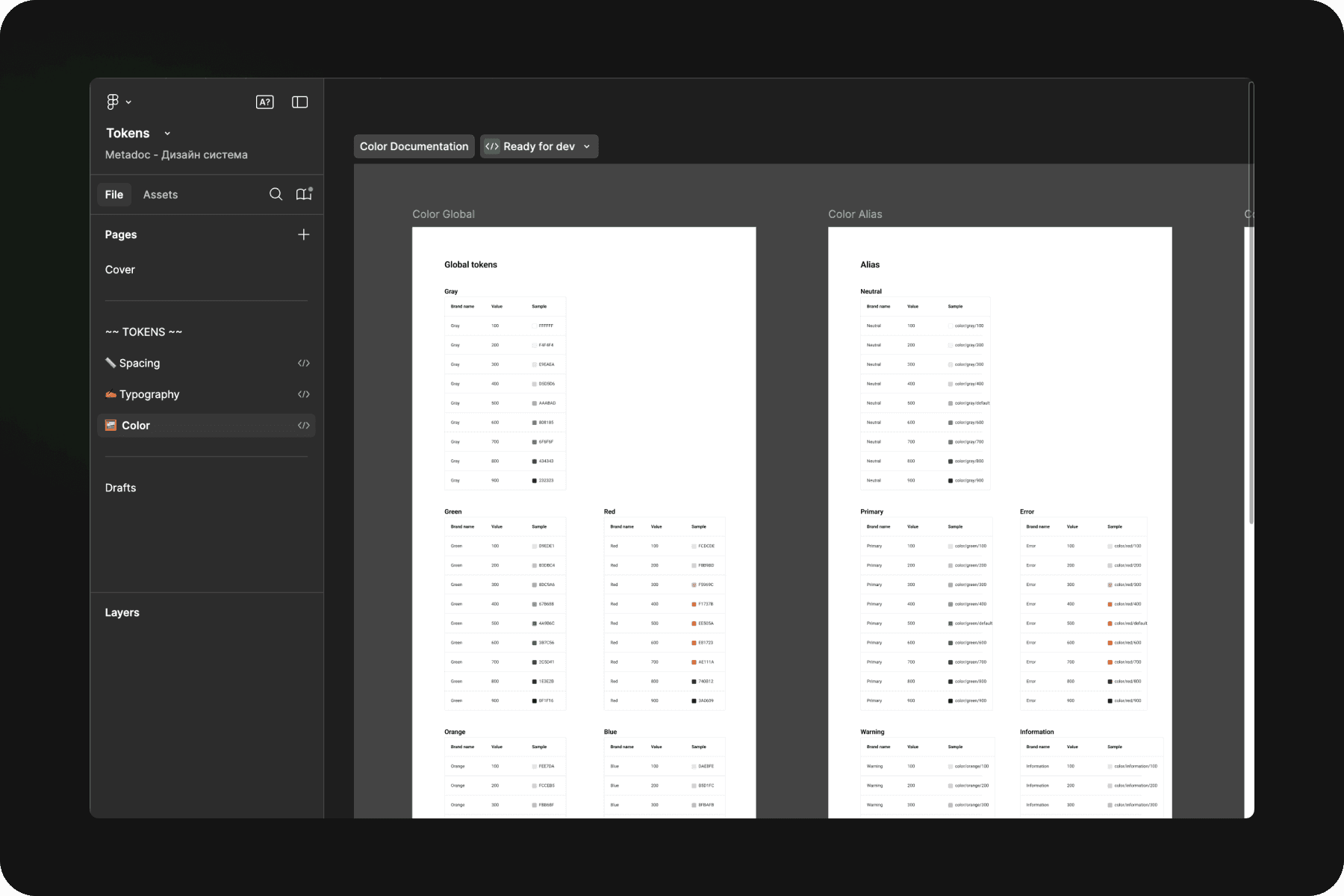
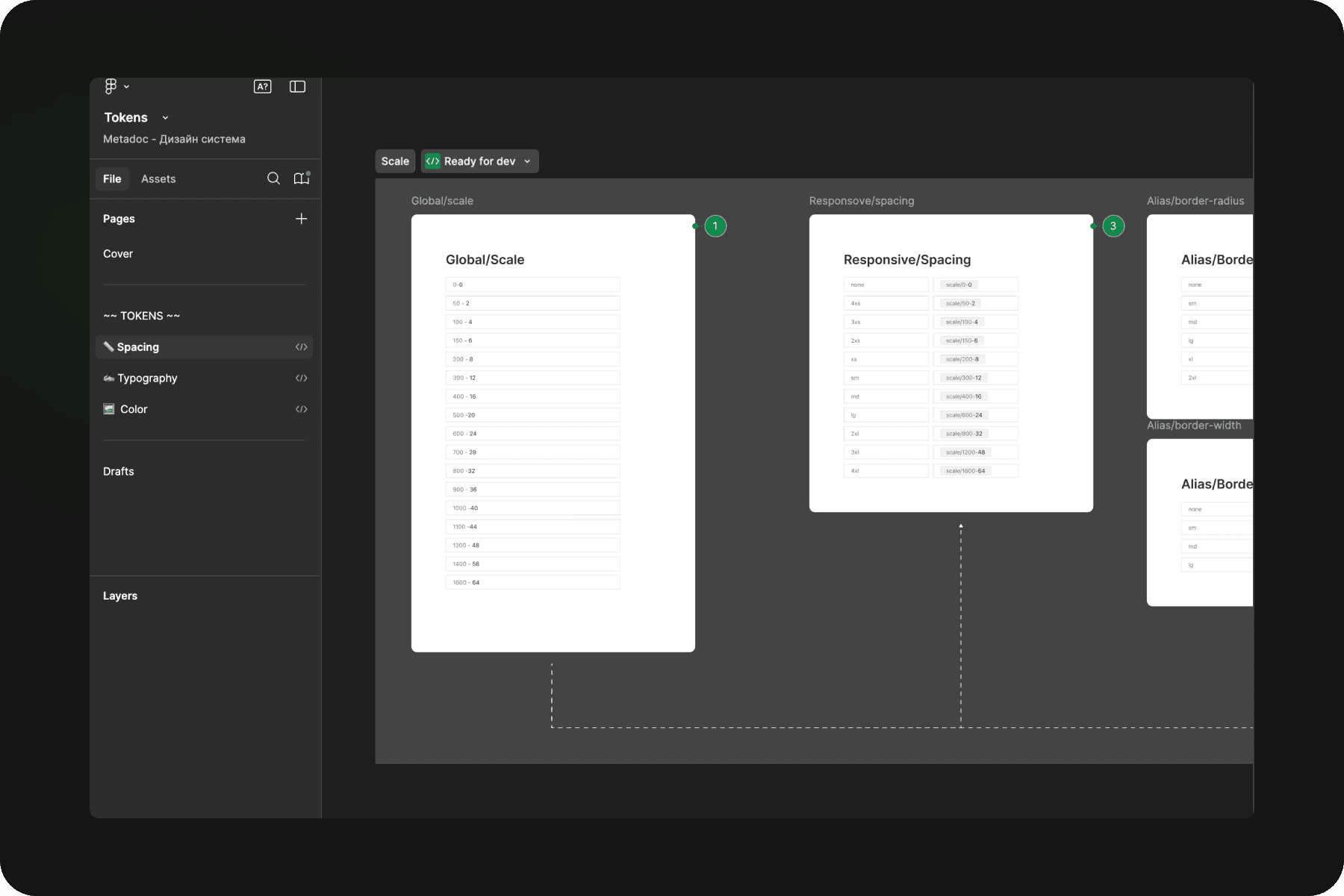
The most difficult part. An audit was done on the system - what tokens there are in general and how we will name them. Then with the front-end team came to the decision of the development scheme (what tokens will consist of): Global →Alias→Mapping . Ran all tokens through this schema (but some were just in the same level of “Responsive”). Documented them and gave them to development.
Components
After building the tokens made components from most to least important. Wrapped everything in master components, tested and distributed the library to all folders and files, and replaced all old elements. And I gave the design system for development, pre-documented. Thus in 4 months the issue of design homogeneity was completely closed.
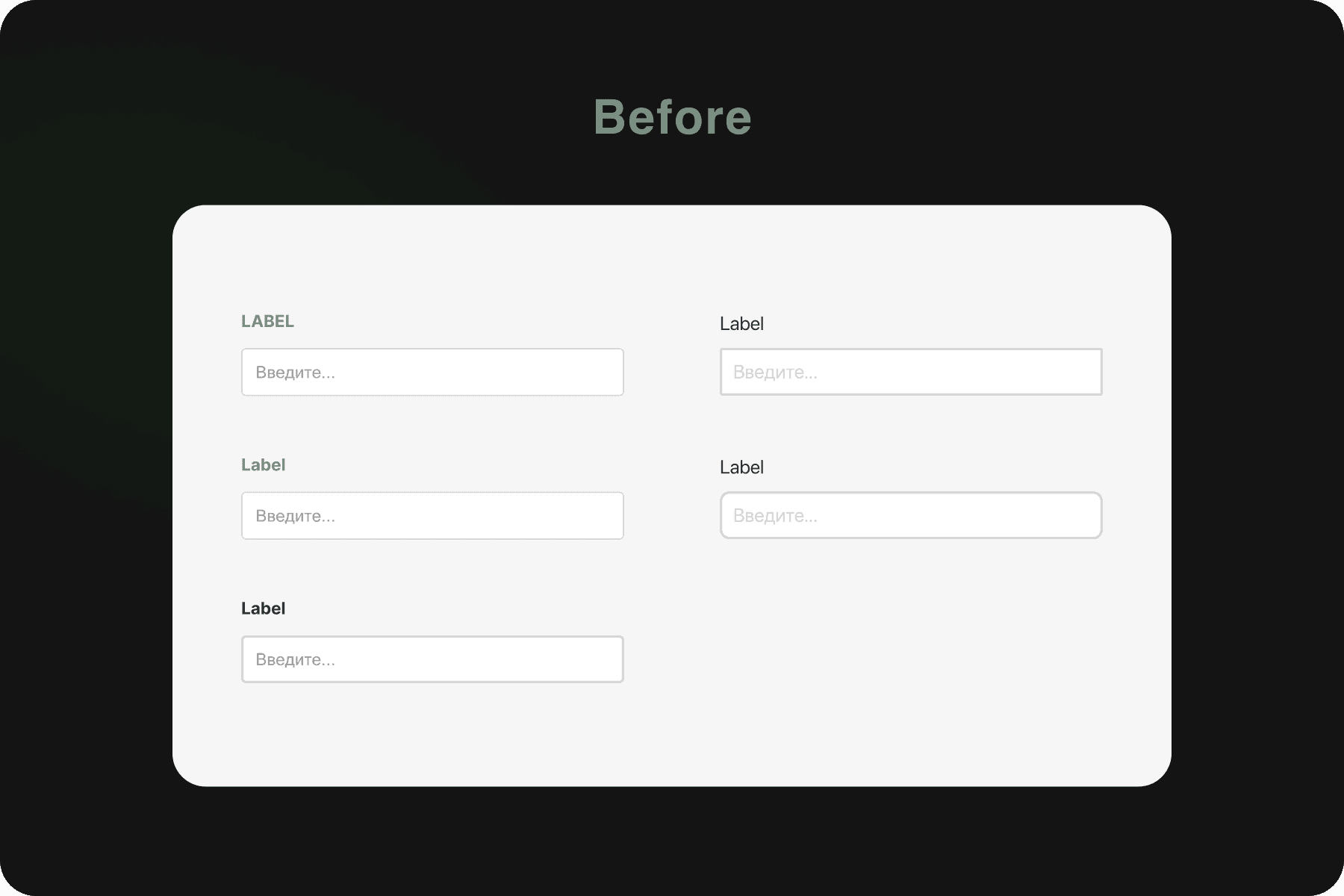
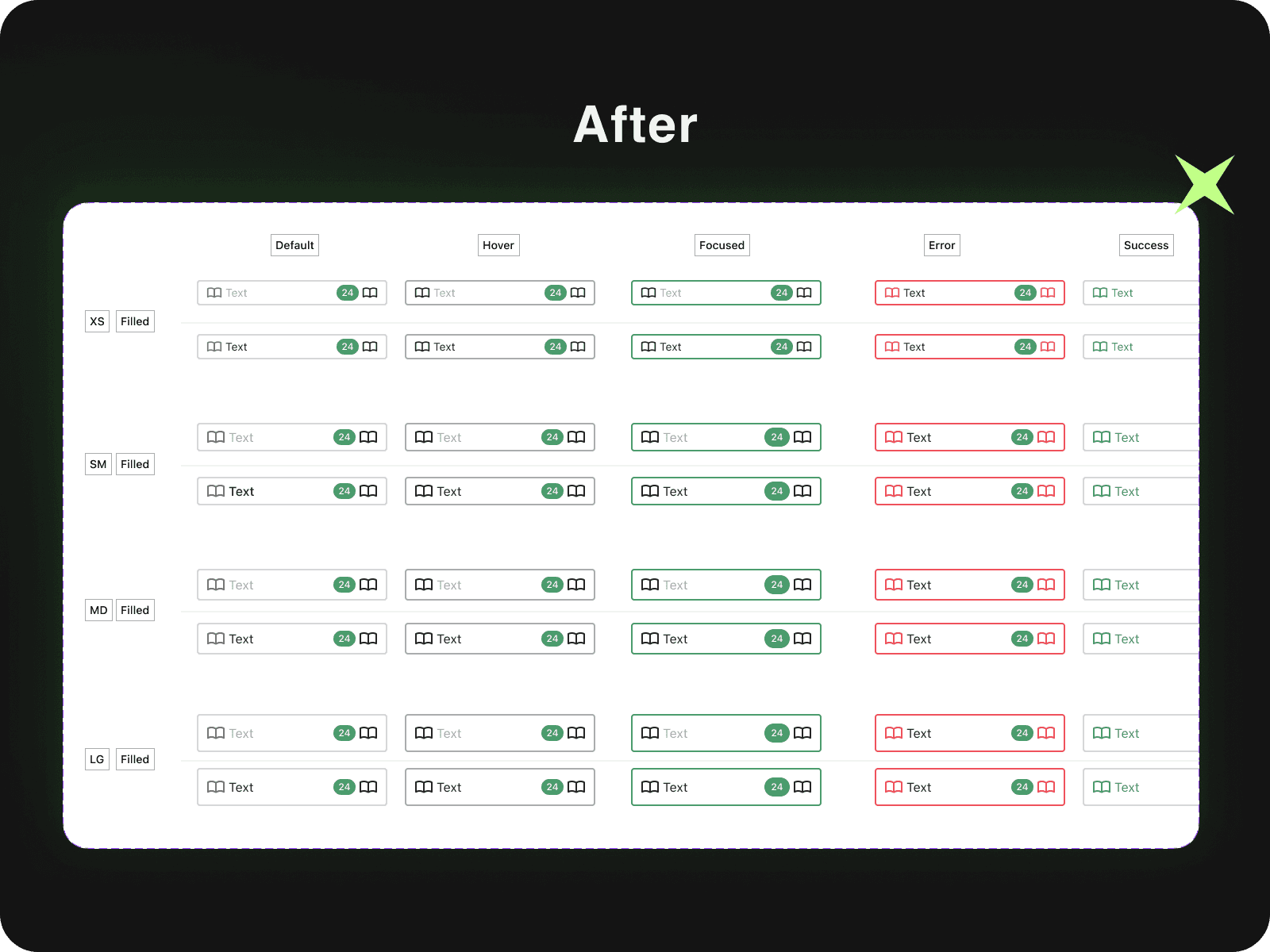
And we got it:
A large, flexible design system, in fact documentation not only for designers, but for the whole team. Now, if there are any moments on design development, the analyst could solve issues with the developer without addressing the designer, relying on the design system.
For designers, a great Asset with everything in mind. The speed has increased 4 times. My team was delighted.
For design - the front-ender didn't look practically at the design. He just used values that were both the same in design and front-end. Speed was at least 20-30% higher and layout errors were reduced.
Bottom line - what did I learn?
While working on the MetaDoc project, I learned important skills and approaches that had a significant impact on the quality of the final product and the development process:
Building a design process
I built a consistent, iterative UX process that included gathering data, creating documentation, and implementing solutions in development.
Organization of UX-research
Developed UX test standards using Think Aloud and Observation methods, which helped reduce development costs by over 36% and increase NPS by 15 points.
Working with the team and stakeholders
I was able to communicate effectively with stakeholders, which accelerated decision making and improved the quality of the product.
Methodological approach to UX
I conducted qualitative research highlighting key focus groups, which improved user understanding and informed decision making.
Such experiences have given me the opportunity to look at Design not only as a creative but also as an analytical task where success depends on detailed research, accurate data and cohesive teamwork.